Turn Your Picture Into A Coloring Page
Turn Your Picture Into A Coloring Page: A Fun Guide to Digital Creativity
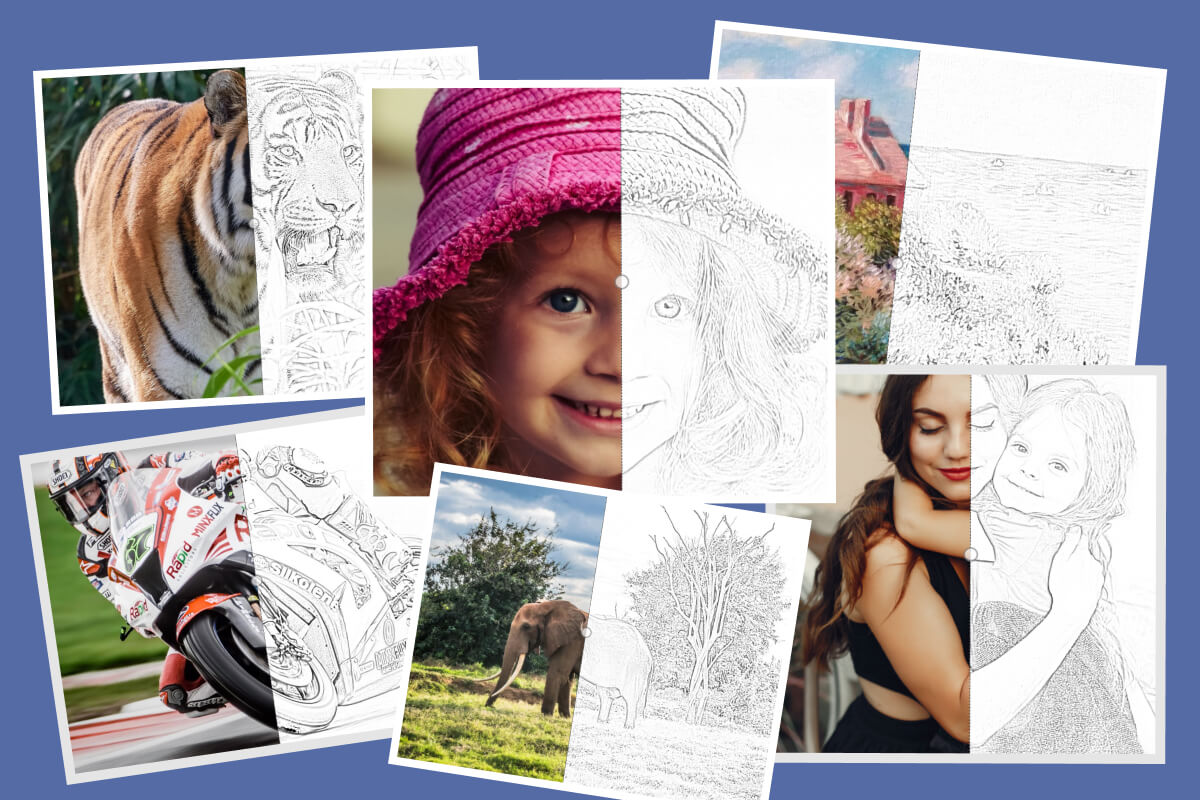
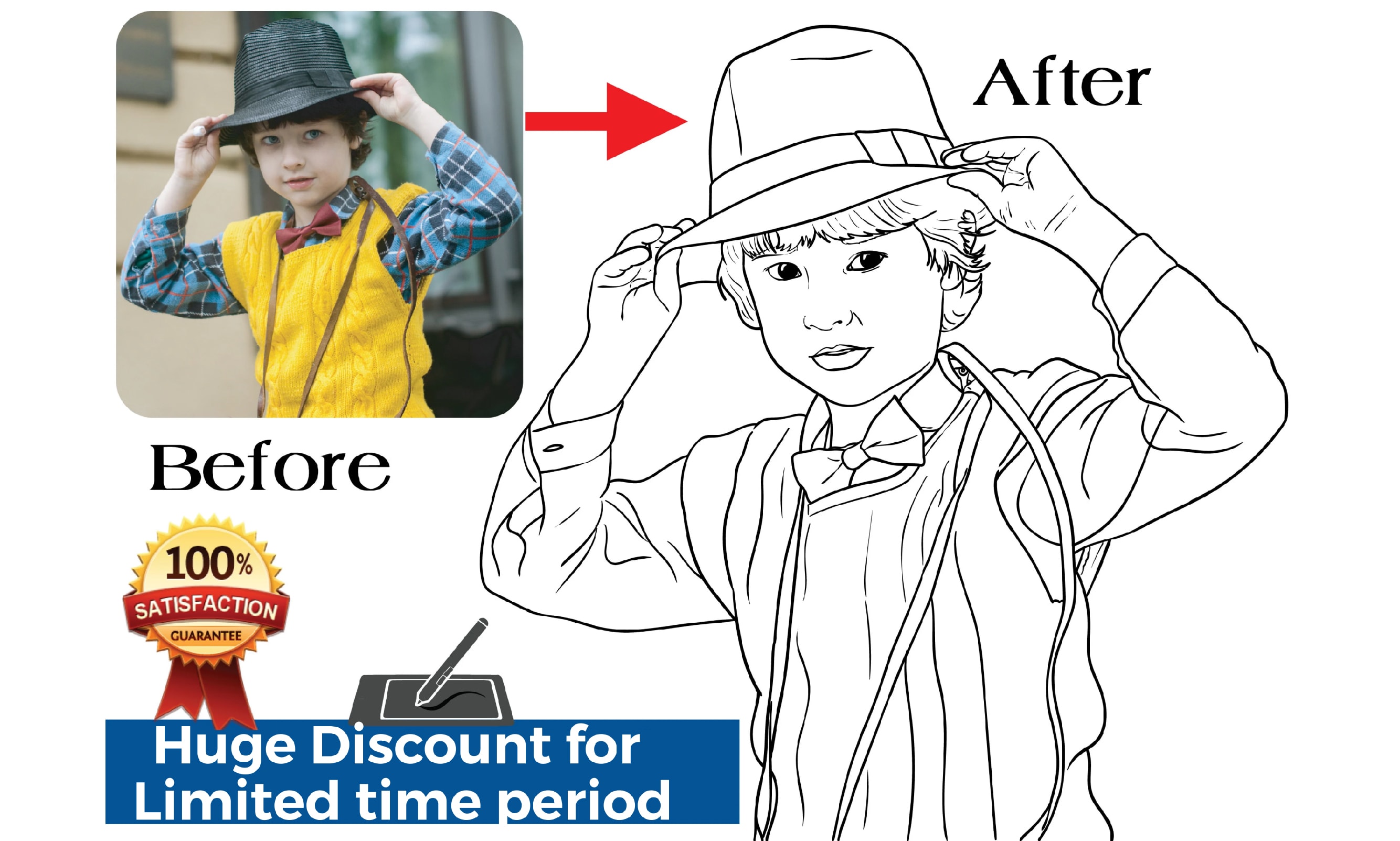
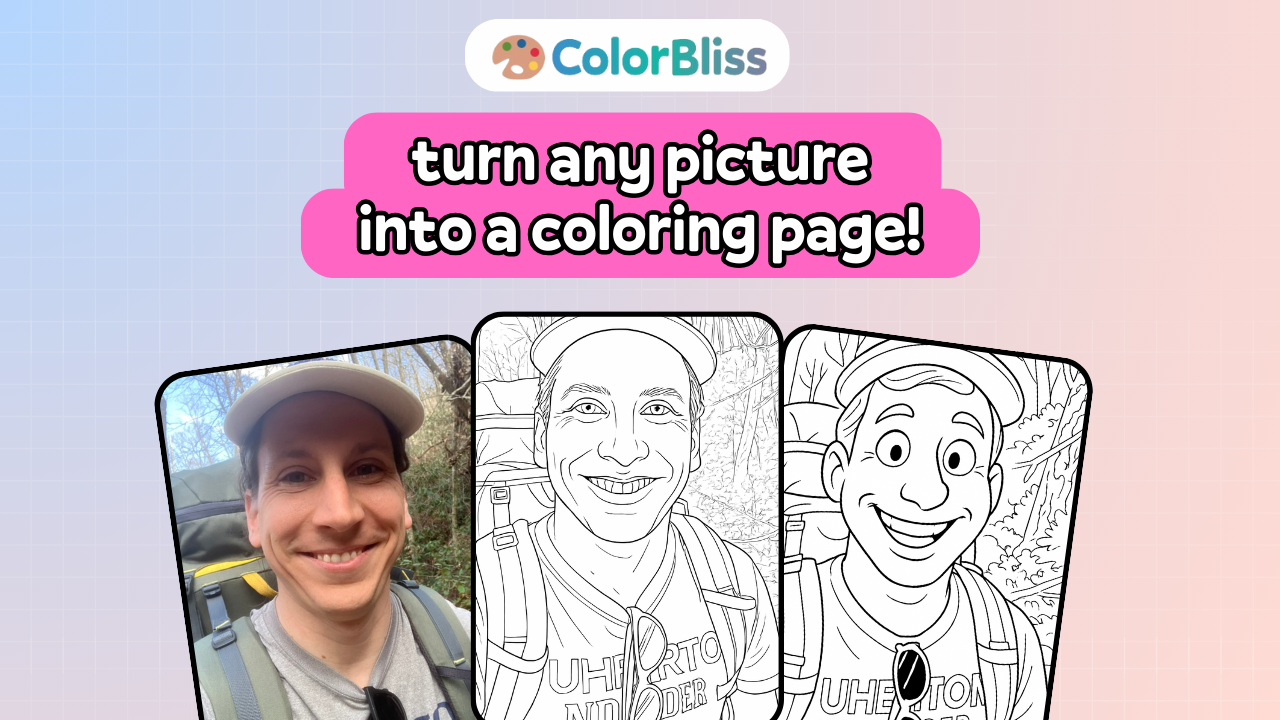
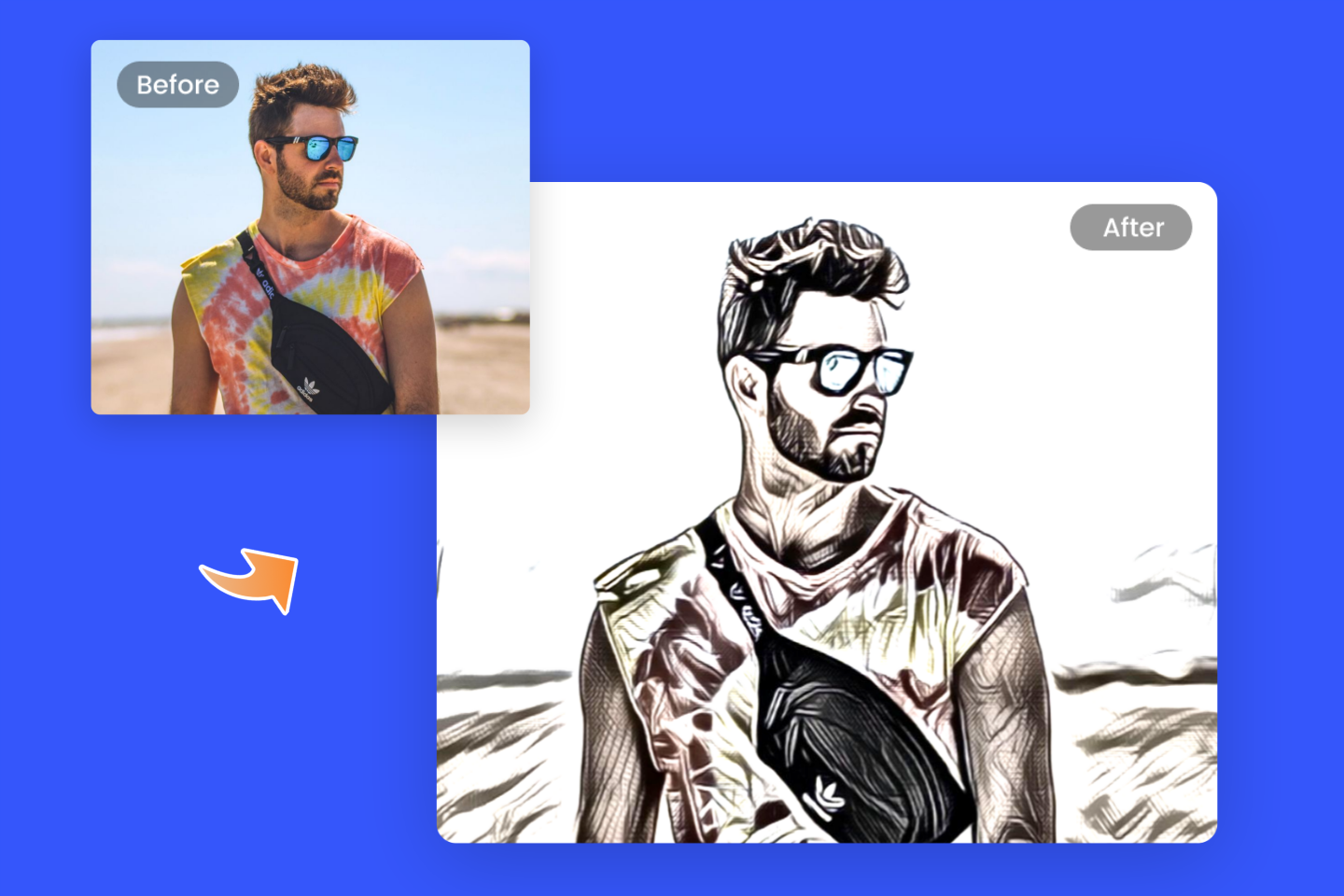
Have you ever looked at a favorite photograph—maybe of your pet, your children, or a beautiful landscape—and wished you could capture that moment in a unique, interactive way? Well, you absolutely can! The process to turn your picture into a coloring page is easier than you might think, opening up a world of personalized gifts, activities, and digital art projects.
This guide will walk you through the essential tools and simple steps needed to transform your cherished snapshots into ready-to-color outlines. Get ready to unleash your inner artist and create something truly special!
Why Turn Your Picture Into A Coloring Page?
Creating custom coloring pages is far more than just a novelty; it's a powerful tool for personalization, relaxation, and education. People love personalized gifts, and a custom coloring book made from family photos is an unforgettable keepsake.
Furthermore, it's a fantastic way to engage kids (or adults!) in a creative activity. Imagine teaching a child about their new puppy using a custom coloring sheet of the exact dog they just adopted!
Here are just a few reasons why this project is so rewarding:
- Personalized Gifts: Create unique birthday cards, wedding favors, or holiday gifts.
- Educational Tools: Use custom pages for teaching specific objects, animals, or people.
- Stress Relief: Coloring is known for its meditative qualities, and coloring a personalized image can be even more relaxing.
- Artistic Exploration: It allows you to explore the composition and contrast of your photos in a new artistic light.
The Essential Tools You Need
Before you dive into the conversion process, it's important to gather your resources. You don't necessarily need expensive software; often, free online tools are enough to achieve excellent results, especially if your goal is simple line art.
Software Options: Free vs. Paid
The choice of software depends on how much control and detail you desire in the final coloring page. Simple automation works best for high-contrast images, but manual editing is necessary for complex photos.
Free and Easy Tools:
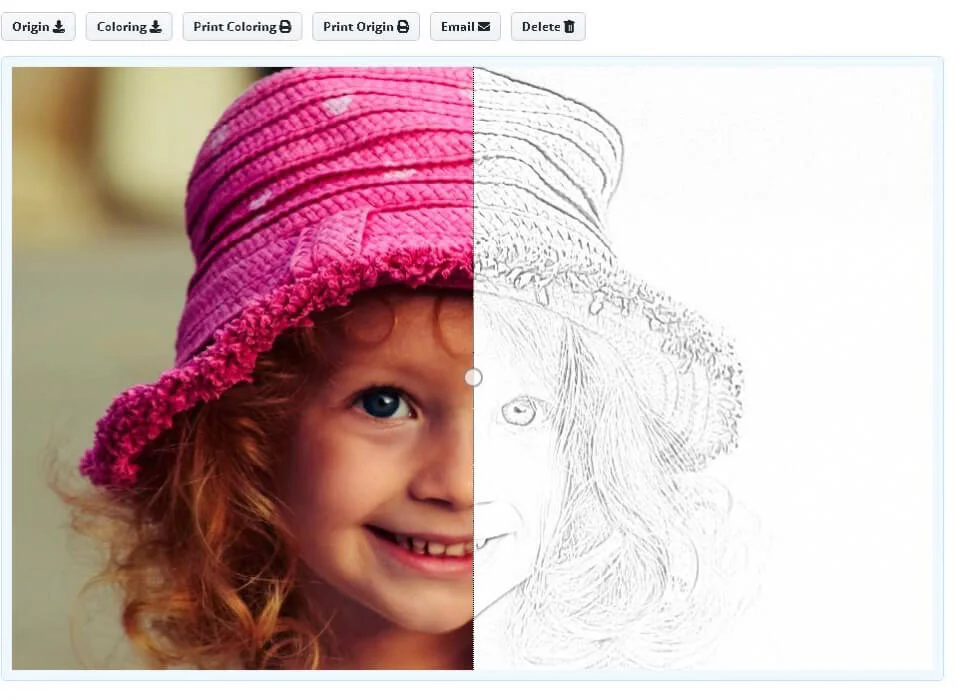
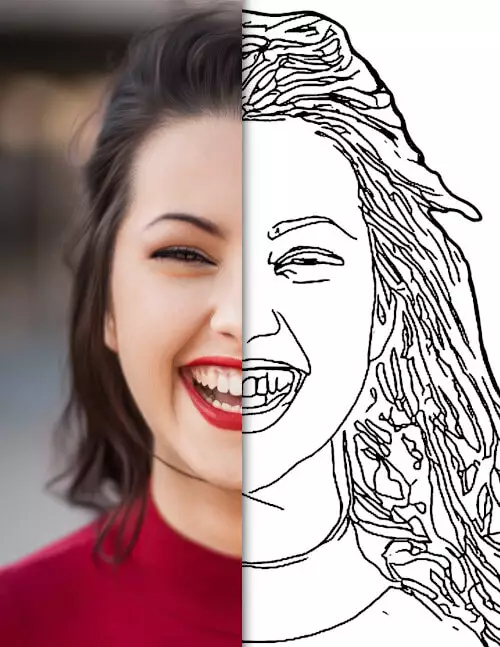
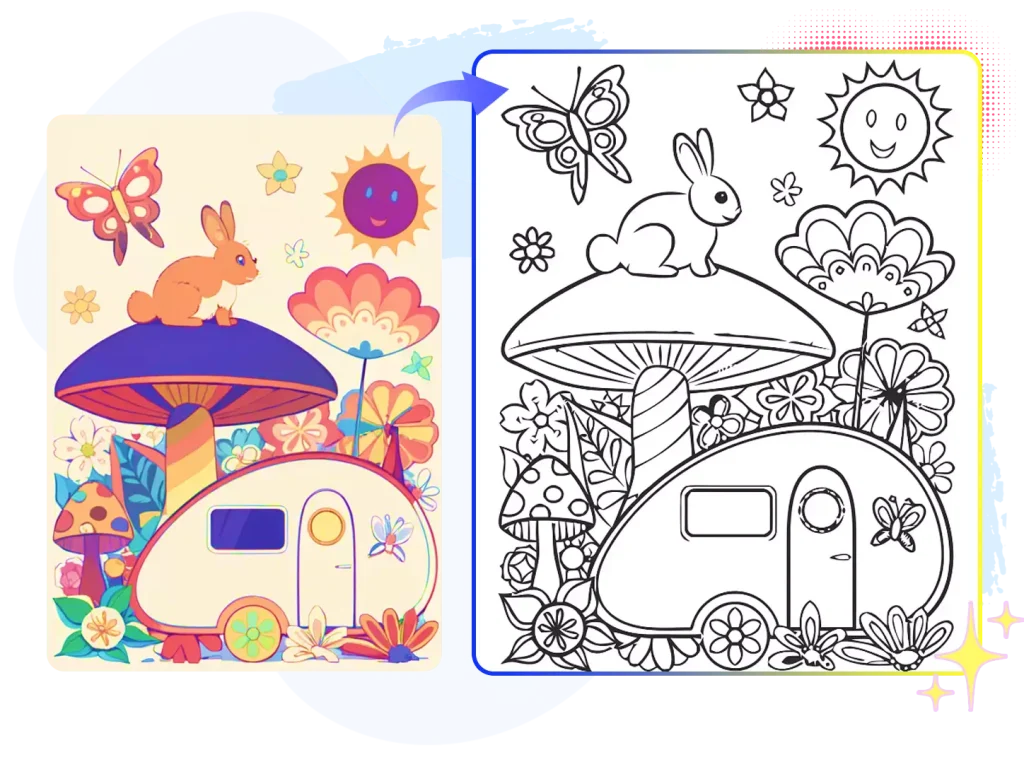
- Online Converters: Websites specializing in photo-to-sketch or photo-to-cartoon conversion often have a "coloring page" mode. These are usually the fastest way to turn your picture into a coloring page.
- GIMP: A powerful, open-source image editor. It requires a steeper learning curve but offers professional-level control over filters and layers.
- Photo Filters on Mobile Apps: Some modern camera or editing apps offer simple sketch filters that can be saved and printed.
Paid and Professional Tools:
- Adobe Photoshop: The industry standard. Provides the most flexibility for refining lines, adjusting thresholds, and cleaning up noise.
- Adobe Illustrator: Excellent for vectorizing the image. This means the lines will be perfectly smooth and scalable without losing quality.
Choosing the Right Picture
Not every photo will translate well into a coloring page. Selecting an appropriate source image is perhaps the most important pre-step. If your original image is too busy or too dark, the resulting lines will be messy and hard to color.
Look for photos that have:
- High Contrast: Clear differentiation between light and shadow makes it easier for the software to define edges.
- Simple Backgrounds: A busy background often turns into confusing scribbles when converted to line art. A plain wall or simple outdoor setting is ideal.
- Good Quality and Resolution: Blurry or low-resolution images will result in jagged, poor-quality lines.
Step-by-Step Guide: How to Turn Your Picture Into A Coloring Page
We'll explore two primary methods here: the quick and automated route, and the detailed manual route for truly professional results.
Method 1: Using Online Converters (Quick & Easy)
This is the fastest way, perfect if you need a quick result for a simple image. Many free websites offer this service by applying powerful automated filters.
- Upload Your Image: Go to your chosen online converter (search for "photo to coloring page free online"). Upload the high-quality picture you selected.
- Select the Filter: Look for options like "Sketch," "Pencil Drawing," or specifically "Coloring Page Outline."
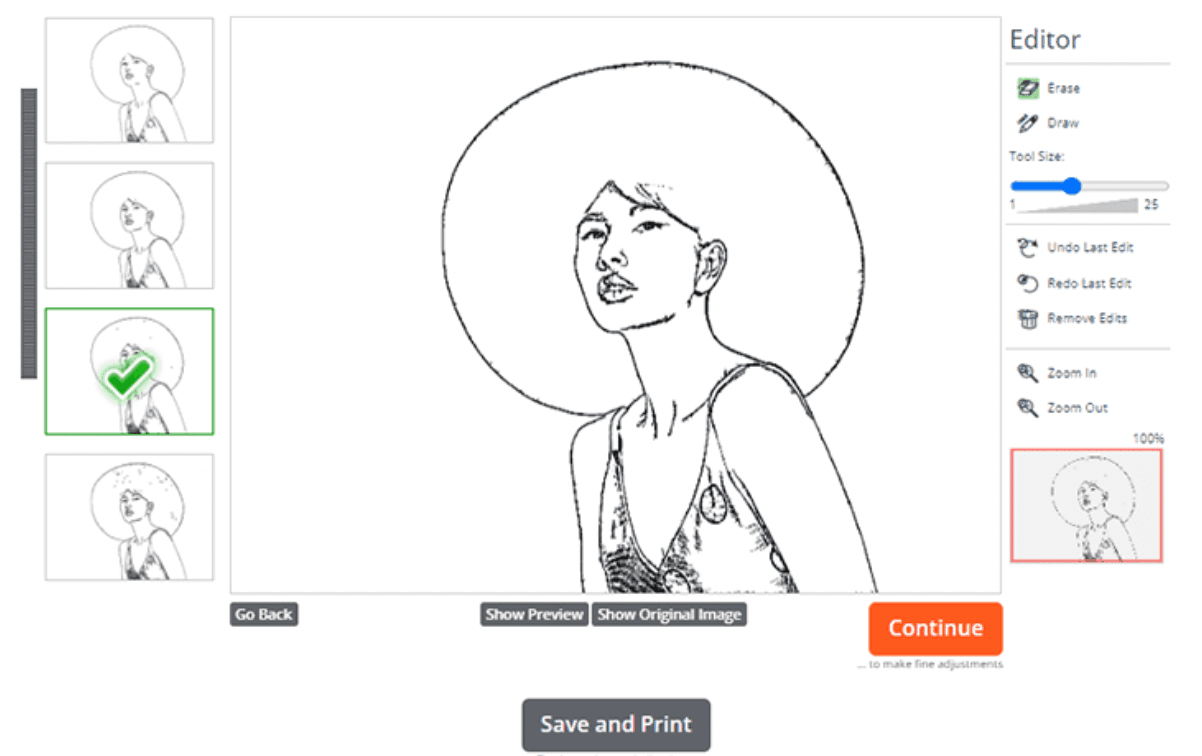
- Adjust Settings (Optional): Many tools allow you to adjust line thickness or threshold sensitivity. Increase the threshold to emphasize darker lines and eliminate lighter shading.
- Download and Review: Download the converted image, usually a JPG or PNG file. Check if all the necessary details have been retained and if the background is clean white.
This method usually takes less than five minutes, making it ideal for busy parents or quick personal projects.
Method 2: Manual Editing with Software (Professional Results)
If you want flawless lines and the ability to customize every detail, using software like Photoshop or GIMP is the way to go. This involves manipulating the image layers and adjusting color modes.
- Desaturate the Image: Open your picture and convert it to Grayscale (Image > Adjustments > Desaturate or Grayscale Mode). This removes all color information.
- Duplicate and Invert: Duplicate the grayscale layer. Select the top layer and Invert the colors (Image > Adjustments > Invert). This will make the image look like a photo negative.
- Apply the Color Dodge Blend Mode: Change the blending mode of the inverted layer from "Normal" to "Color Dodge." Your canvas should now appear mostly white.
- Apply Gaussian Blur: Go to Filter > Blur > Gaussian Blur. Slowly increase the blur radius until the outlines start to appear. The amount of blur dictates the thickness and intensity of the lines.
- Adjust Levels/Threshold: Merge the layers. Use the Levels or Threshold tool (Image > Adjustments > Levels/Threshold) to make the lines black and the background pure white. This crucial step finalizes the black and white line art look.
Refining the Lines and Details
Even after using filters, you will likely have stray dots, fuzzy lines, or areas that didn't convert properly. This is where manual cleanup comes in.
Use the Eraser Tool to delete any noise or unwanted shadows, especially around the edges of the picture. Then, use the Brush Tool (set to a small black stroke) to manually reinforce weak lines or draw in outlines that the software missed. This extra effort ensures that when you turn your picture into a coloring page, it's clean and easy to color.
Creative Ideas for Your Custom Coloring Pages
Once you've mastered the technique, the possibilities are endless! Here are some fun ways to use your newly created line art:
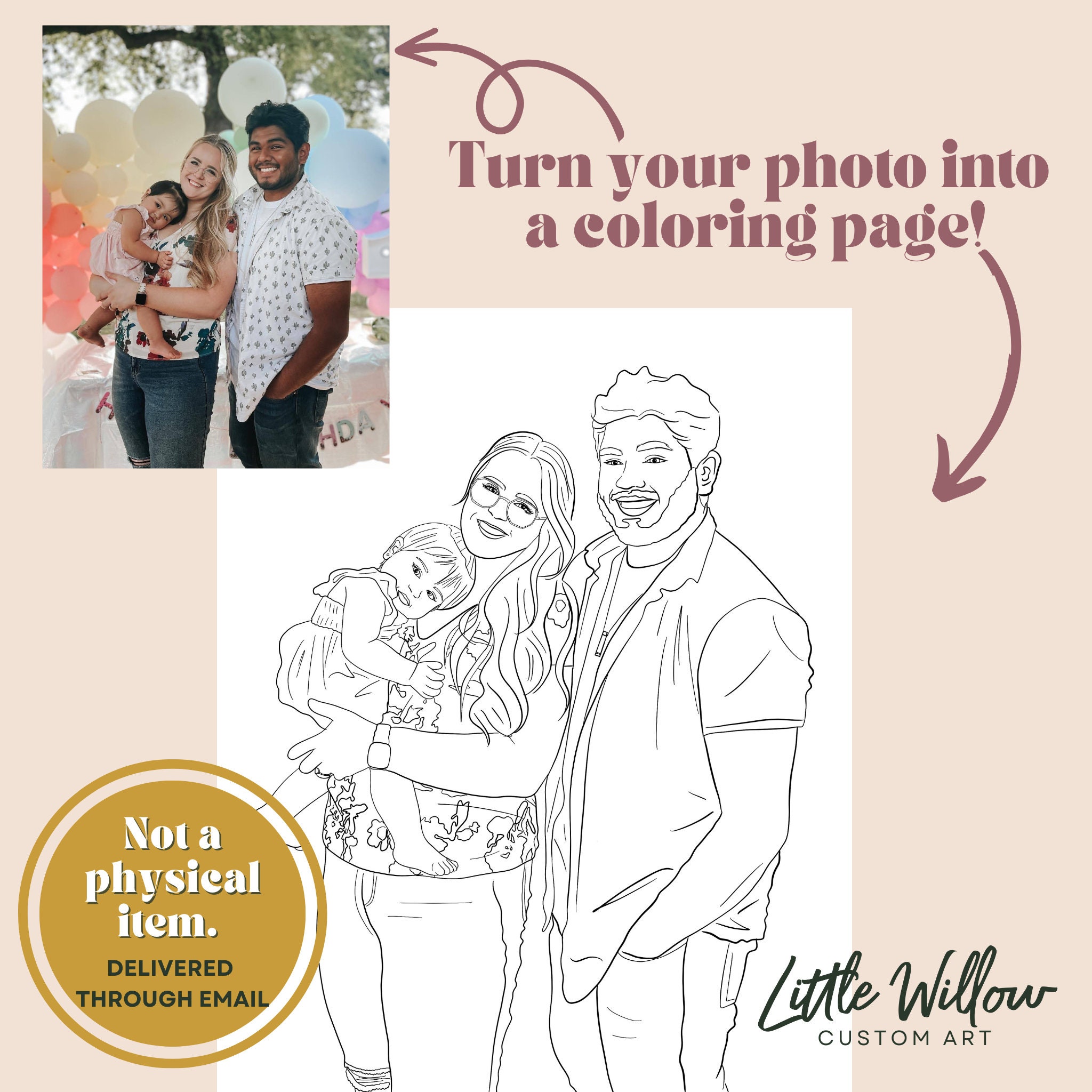
- Family Portrait Coloring Book: Compile several photos of family members throughout the year into a small book.
- Mascot/Logo Outlines: If you run a small business, turn your picture into a coloring page version of your logo for promotional giveaways.
- Custom Holiday Decor: Create coloring pages based on holiday decorations or festive scenes, then frame the colored results.
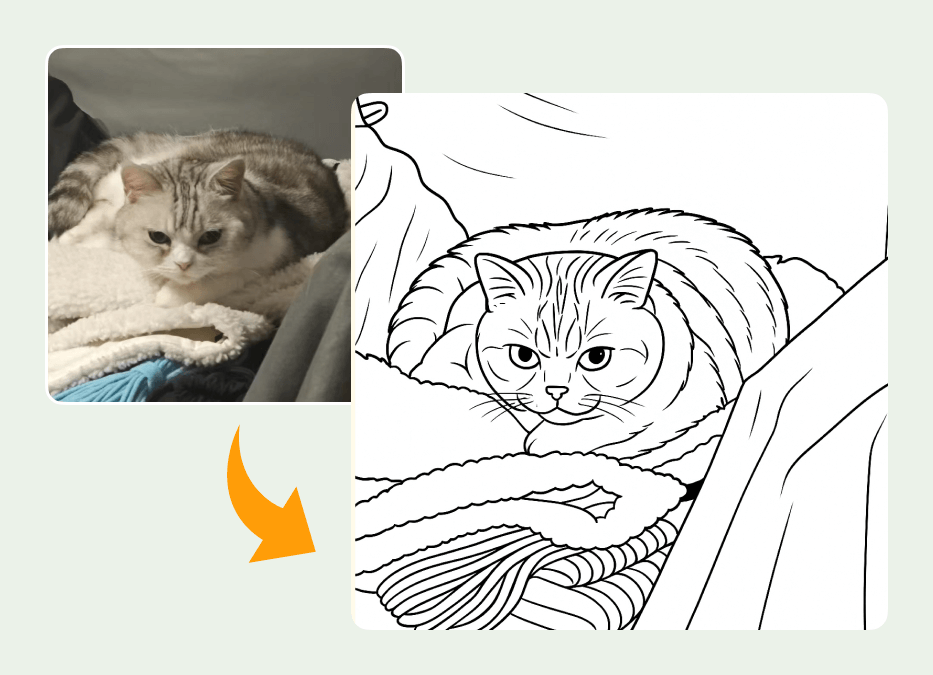
- Pet Art: Transform photos of your beloved cats or dogs into unique art prints that can be colored by friends and family.
- Handwriting Practice: For children, take a photo of handwritten text or simple drawings and convert them, allowing them to trace and color their own work.
Remember, the goal is to make the image fun and inviting. Don't be afraid to simplify details that might overwhelm the person coloring.
Conclusion
The ability to turn your picture into a coloring page bridges the gap between photography and creative expression. Whether you opt for the quick automation of an online converter or the detailed control of professional software, the result is a personalized piece of art that invites interaction.
This process is perfect for creating bespoke gifts, engaging educational tools, or just enjoying a relaxing afternoon of coloring a scene that is truly meaningful to you. Start experimenting with your photo library today, and enjoy watching your favorite snapshots transform into blank canvases!
Frequently Asked Questions (FAQ)
- Can I use any photo to turn it into a coloring page?
- While technically yes, the best results come from high-resolution photos with clear subjects, simple backgrounds, and strong contrast. Low-quality or busy photos tend to produce confusing and messy outlines.
- Is it better to use free online tools or paid software?
- For quick, simple conversions of high-contrast images, free online tools are sufficient. However, if you need professional quality, detailed cleanup, or want to ensure smooth, vector-based lines, paid software like Photoshop or Illustrator is recommended.
- How do I adjust the line thickness of my coloring page?
- If using manual software (like Photoshop), the line thickness is primarily controlled by the radius you set when applying the Gaussian Blur filter. A larger radius creates thicker lines, while a smaller radius creates finer, sketchier lines.
- What is the best file format for printing coloring pages?
- PNG or high-resolution JPG files work well. If you used vector software (like Illustrator), saving the final image as a PDF ensures the highest quality print results without any loss of detail or pixelation.
- Can I turn my picture into a coloring page using only my smartphone?
- Yes, many mobile editing apps now feature sketch or outline filters that can achieve a basic coloring page effect. Look for apps that allow you to adjust the black and white threshold or intensity of the lines.
Turn Your Picture Into A Coloring Page
Turn Your Picture Into A Coloring Page Wallpapers
Collection of turn your picture into a coloring page wallpapers for your desktop and mobile devices.

Amazing Turn Your Picture Into A Coloring Page View Concept
Explore this high-quality turn your picture into a coloring page image, perfect for enhancing your desktop or mobile wallpaper.
Lush Turn Your Picture Into A Coloring Page Moment for Mobile
A captivating turn your picture into a coloring page scene that brings tranquility and beauty to any device.

Detailed Turn Your Picture Into A Coloring Page Photo Art
Discover an amazing turn your picture into a coloring page background image, ideal for personalizing your devices with vibrant colors and intricate designs.

Spectacular Turn Your Picture Into A Coloring Page Scene for Your Screen
A captivating turn your picture into a coloring page scene that brings tranquility and beauty to any device.
Captivating Turn Your Picture Into A Coloring Page Background Concept
Immerse yourself in the stunning details of this beautiful turn your picture into a coloring page wallpaper, designed for a captivating visual experience.
Serene Turn Your Picture Into A Coloring Page Background in HD
Discover an amazing turn your picture into a coloring page background image, ideal for personalizing your devices with vibrant colors and intricate designs.
Crisp Turn Your Picture Into A Coloring Page Landscape Nature
A captivating turn your picture into a coloring page scene that brings tranquility and beauty to any device.

Exquisite Turn Your Picture Into A Coloring Page Artwork in HD
This gorgeous turn your picture into a coloring page photo offers a breathtaking view, making it a perfect choice for your next wallpaper.
Vivid Turn Your Picture Into A Coloring Page Scene Photography
Transform your screen with this vivid turn your picture into a coloring page artwork, a true masterpiece of digital design.
Mesmerizing Turn Your Picture Into A Coloring Page Capture for Desktop
Discover an amazing turn your picture into a coloring page background image, ideal for personalizing your devices with vibrant colors and intricate designs.
Dynamic Turn Your Picture Into A Coloring Page Background Concept
Find inspiration with this unique turn your picture into a coloring page illustration, crafted to provide a fresh look for your background.
Mesmerizing Turn Your Picture Into A Coloring Page Background Collection
Explore this high-quality turn your picture into a coloring page image, perfect for enhancing your desktop or mobile wallpaper.
Vibrant Turn Your Picture Into A Coloring Page Capture Art
Explore this high-quality turn your picture into a coloring page image, perfect for enhancing your desktop or mobile wallpaper.

Lush Turn Your Picture Into A Coloring Page Capture in HD
Find inspiration with this unique turn your picture into a coloring page illustration, crafted to provide a fresh look for your background.
Beautiful Turn Your Picture Into A Coloring Page Design Nature
Experience the crisp clarity of this stunning turn your picture into a coloring page image, available in high resolution for all your screens.

Beautiful Turn Your Picture Into A Coloring Page View Illustration
Discover an amazing turn your picture into a coloring page background image, ideal for personalizing your devices with vibrant colors and intricate designs.

Vibrant Turn Your Picture Into A Coloring Page Artwork Digital Art
Discover an amazing turn your picture into a coloring page background image, ideal for personalizing your devices with vibrant colors and intricate designs.
Artistic Turn Your Picture Into A Coloring Page Design in 4K
Find inspiration with this unique turn your picture into a coloring page illustration, crafted to provide a fresh look for your background.

Vivid Turn Your Picture Into A Coloring Page Design in HD
Experience the crisp clarity of this stunning turn your picture into a coloring page image, available in high resolution for all your screens.

Artistic Turn Your Picture Into A Coloring Page Capture Digital Art
Find inspiration with this unique turn your picture into a coloring page illustration, crafted to provide a fresh look for your background.
Download these turn your picture into a coloring page wallpapers for free and use them on your desktop or mobile devices.