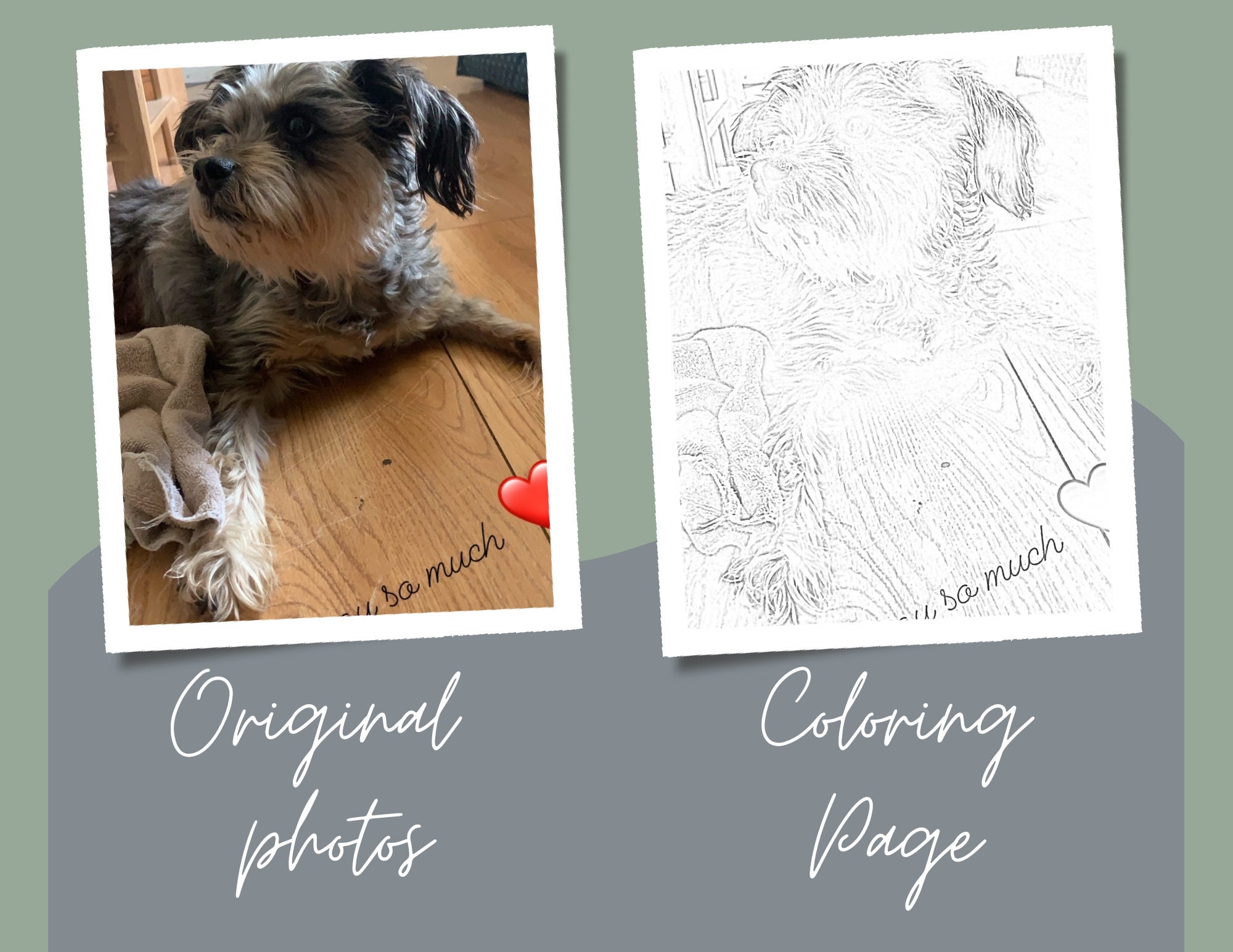
Create Your Own Coloring Page From Photo
Create Your Own Coloring Page From Photo: The Ultimate DIY Guide
Have you ever wanted to turn a cherished memory—a snapshot of your pet, a beautiful family portrait, or a stunning landscape—into a fun, personalized coloring page? It's easier than you think! Learning how to Create Your Own Coloring Page From Photo opens up a world of creativity, perfect for gifts, party favors, or just relaxing on a rainy afternoon.
Forget generic coloring books. Imagine giving a child a coloring sheet featuring their own face or their favorite toy! This guide will walk you through the simplest and most effective ways to transform your digital images into black and white line art ready for coloring. Let's dive into making some art!
Why You Should Create Your Own Coloring Page From Photo
The beauty of personalized coloring pages lies in the emotional connection they create. It's not just a craft project; it's a way to engage with your favorite photos in a completely new, tactile way. Whether you are looking for a unique gift or a specific therapeutic activity, the benefits are huge.
- Personalized Gifts: Turn a grandparent's photo into a drawing for their grandkids to color.
- Educational Tools: Use photos of historical figures or local landmarks for school projects.
- Therapy and Relaxation: Coloring is a known stress reliever, and focusing on a meaningful image can enhance mindfulness.
- Unique Party Favors: Imagine a birthday party where the coloring sheets feature the birthday child!
The process of converting a photo into line art gives you complete control over the final product. You can tailor the complexity and style exactly to the person who will be coloring it.
Choosing the Perfect Photo
Not every photo translates well into a line drawing. To successfully Create Your Own Coloring Page From Photo, you must start with a high-quality image that has strong contrasts and clear boundaries. If the original image is blurry or too busy, the resulting coloring page will likely be messy and difficult to color.
Best Photo Subjects
Simple subjects usually work best. Look for images where the main focus stands out clearly from the background. High contrast is key!
- **Portraits:** Close-up photos of faces, especially those with clear shadows and features.
- **Pets:** Animals with distinct outlines and markings (e.g., a white dog against a dark background).
- **Simple Objects:** Toys, cars, or single flowers.
- **Silhouettes:** These provide the best defined outlines instantly.
Technical Requirements for Conversion
Before you run your photo through a converter, perform a quick check to ensure maximum success.
- High Resolution: Use an image that is at least 1000 pixels on the shortest side. Low-resolution images will produce jagged, pixelated lines.
- Contrast: The better the contrast between light and dark areas, the more pronounced the line art will be.
- Minimal Clutter: Crop out unnecessary elements in the background to ensure the focus remains on the coloring areas.
A little pre-editing goes a long way in ensuring your coloring page looks professional and is fun to use.
Step-by-Step Methods to Create Your Own Coloring Page From Photo
There are two primary paths you can take to achieve your goal: using automated, user-friendly online tools or relying on more professional photo editing software for ultimate control.
Method 1: Using Free Online Converters
If you need quick results without installing software, online tools are your best friends. Many websites offer free conversion services specifically designed to turn photos into sketches or coloring pages.
- Upload Your Photo: Go to a reputable online photo-to-sketch converter (a quick search will reveal many options). Upload the high-quality photo you selected earlier.
- Adjust Settings: Most tools provide sliders for "Outline Thickness," "Contrast," and "Detail Level." Adjust these until the image looks like a clean drawing rather than a muddy black and white photo.
- Invert Colors (If Necessary): Sometimes, the tool produces a black background with white lines. If this happens, you need to invert the image so the background is white and the lines are black.
- Download and Review: Download the resulting JPG or PNG file. Zoom in to check if the lines are clear and continuous.
Method 2: The Photoshop/GIMP Approach (Advanced)
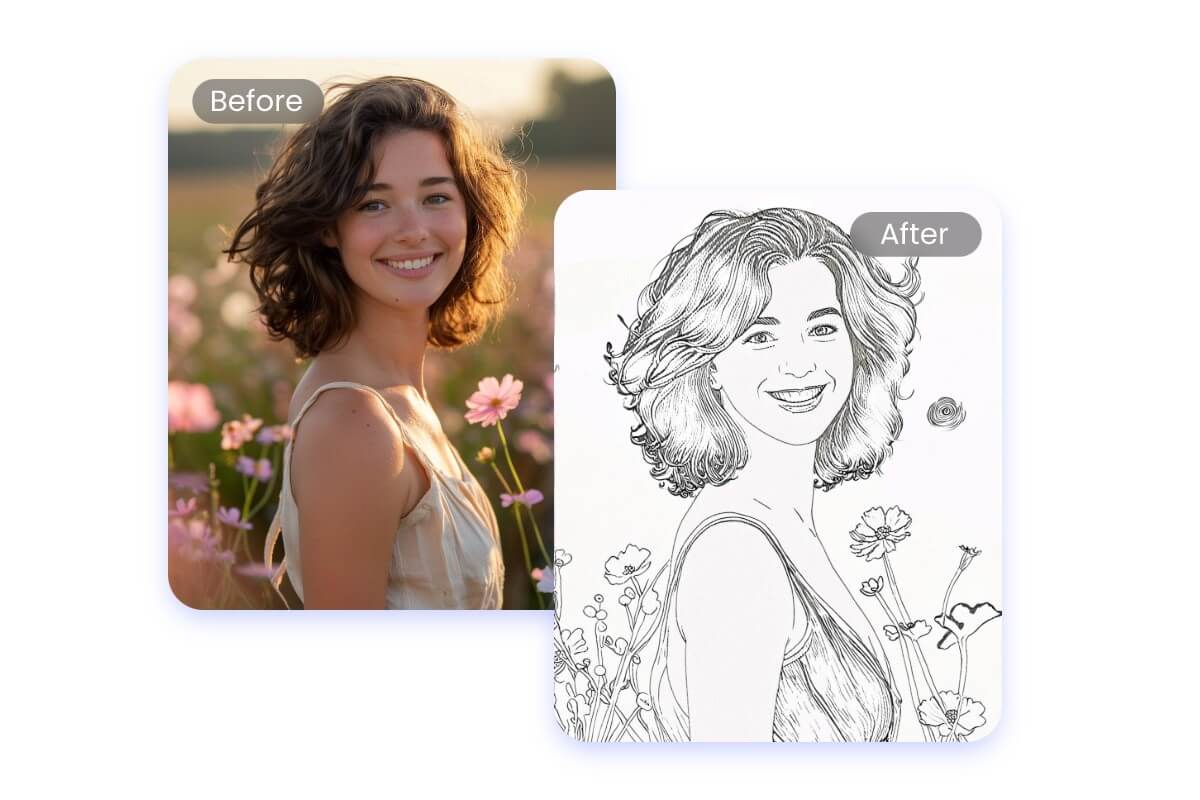
For professional results and maximum editing flexibility, software like Adobe Photoshop or the free alternative GIMP is ideal. This method uses filters to detect edges.
Start by duplicating your image layer. This keeps the original safe.
- Desaturate: Convert the image to grayscale (Image > Adjustments > Desaturate in Photoshop).
- Invert: Invert the colors (Image > Adjustments > Invert). This creates a photo negative.
- Blend Mode: Change the blending mode of the inverted layer to "Color Dodge." The image will likely turn almost completely white.
- Gaussian Blur: Apply a slight Gaussian Blur filter (Filter > Blur > Gaussian Blur). Slowly increase the radius until the line art starts to emerge clearly. A good range is usually between 2 and 5 pixels, depending on the photo size.
- Refine: Merge the layers and use the Levels tool (Ctrl+L or Cmd+L) to deepen the blacks and brighten the whites, creating crisp lines ready for coloring.
Tips for Printing and Sharing Your Custom Coloring Page
Once you successfully Create Your Own Coloring Page From Photo, the final physical product needs to be handled correctly. A poorly printed page can ruin all your hard work.
Optimizing Line Weight
The line weight (thickness) determines how easy the page is to color. For younger children, thicker, bolder lines are preferable as they define the coloring areas more clearly. For detailed adult coloring, thinner lines capture nuance better.
If you used a software program, you can manually trace over critical lines on a new layer to thicken them. If you used an online converter, look for the "line thickness" or "pen size" setting and increase it before downloading.
Final Checks Before Printing
Before you hit print, make sure these details are covered:
- File Format: Save the final image as a high-quality PNG or PDF for crisp lines.
- Paper Type: Use slightly heavier paper stock (like cardstock, 65 lb) if you plan on using markers or paint to prevent bleeding.
- Print Settings: Set your printer quality to the highest black and white setting possible.
If you are sharing the page digitally, ensure it is saved in a universal format like PDF so everyone can easily open and print it.
Conclusion
Learning to Create Your Own Coloring Page From Photo is a delightful skill that transforms simple snapshots into personalized art projects. Whether you use a free online tool for quick conversions or utilize advanced software for total control, the result is a unique, meaningful piece of artwork just waiting for color.
Start experimenting with high-contrast photos today. You'll be surprised at how easy it is to create custom coloring pages for every occasion. Have fun turning your memories into masterpieces!
Frequently Asked Questions (FAQ)
- Can I use my smartphone photos to create a coloring page?
- Yes! As long as the photo is high resolution (most modern smartphones take high-res photos) and has good contrast, you can upload it directly to an online converter from your phone or desktop.
- Why does my converted coloring page look muddy?
- A muddy result usually means the original photo lacked sufficient contrast or had too much background detail. Try cropping the photo tightly on the main subject and increasing the contrast before running the conversion filter again.
- Is it better to use a JPEG or PNG file for the final print?
- PNG files are generally better for line art because they maintain crisp lines and do not use lossy compression like JPEG. For the highest quality print, a PDF file created from the PNG is ideal.
- Do I need special art skills to refine the drawing?
- No. While advanced skills help with manual tracing, most modern conversion tools handle the heavy lifting. If minor cleanup is needed, simple tools like an eraser or a paintbrush in basic editing software (like Paint or Preview) are usually enough to clean up stray marks.
- Can I sell the coloring pages I Create Your Own Coloring Page From Photo?
- If the photo is your own original work and features subjects for which you hold the rights (e.g., your own pet, landscape you photographed), yes, you can sell the resulting coloring page. Always be mindful of copyright if using images that are not entirely your property.
Create Your Own Coloring Page From Photo
Create Your Own Coloring Page From Photo Wallpapers
Collection of create your own coloring page from photo wallpapers for your desktop and mobile devices.
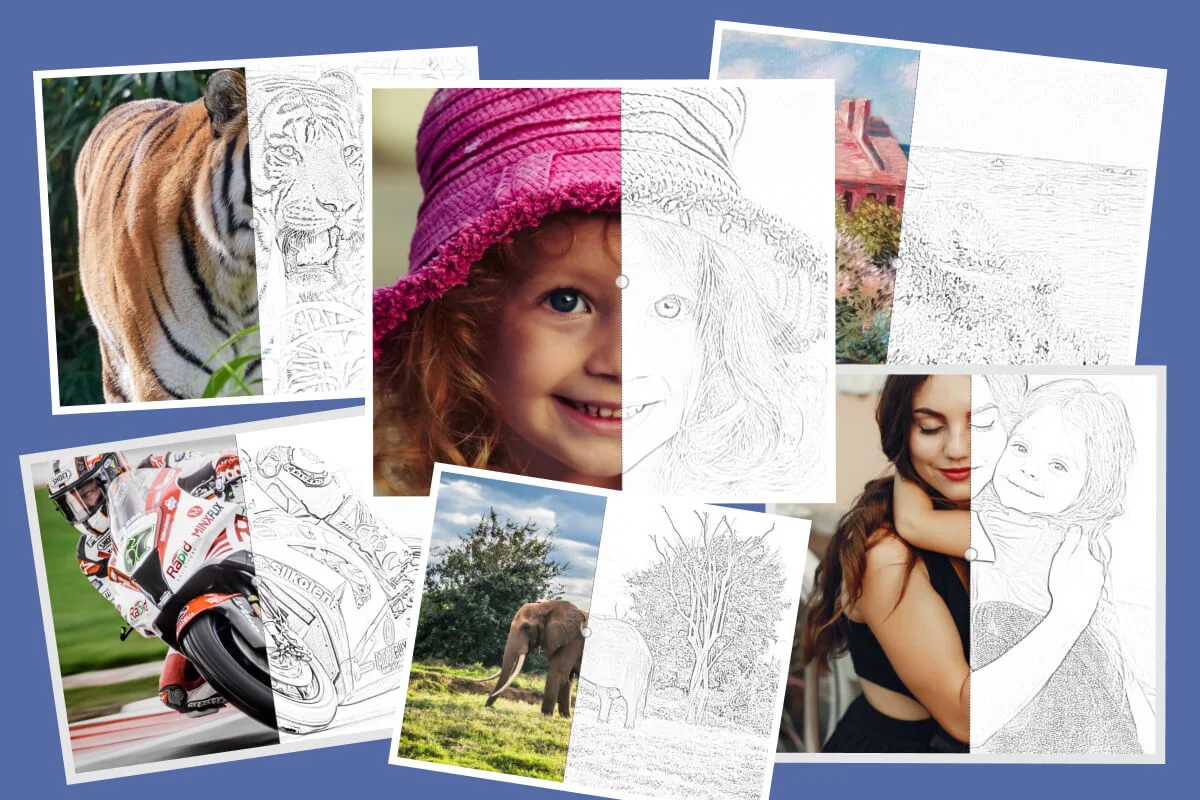
Detailed Create Your Own Coloring Page From Photo View Digital Art
Explore this high-quality create your own coloring page from photo image, perfect for enhancing your desktop or mobile wallpaper.
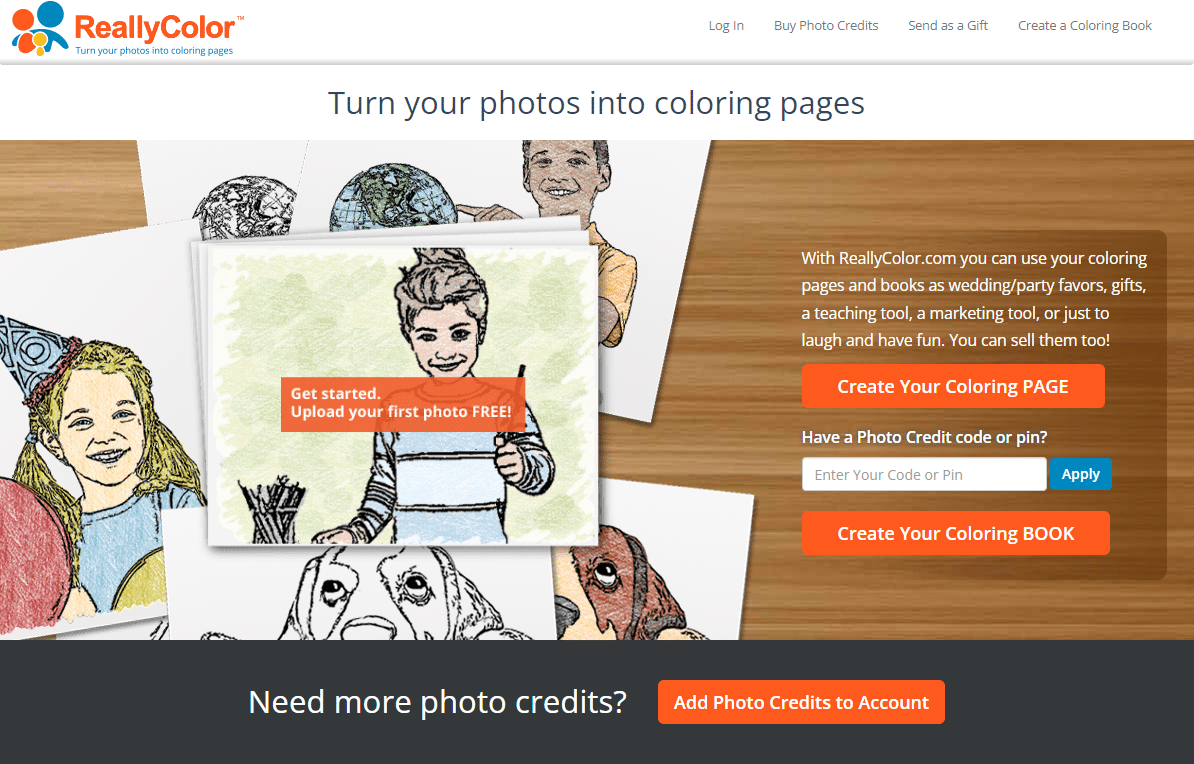
Exquisite Create Your Own Coloring Page From Photo Abstract Digital Art
Immerse yourself in the stunning details of this beautiful create your own coloring page from photo wallpaper, designed for a captivating visual experience.
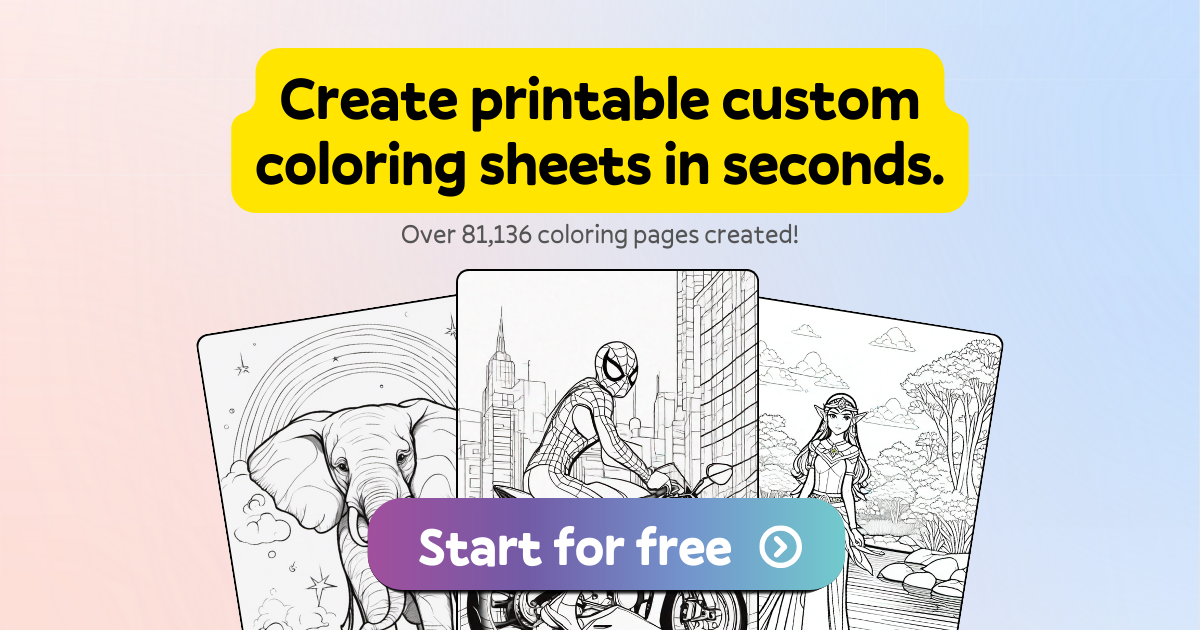
Dynamic Create Your Own Coloring Page From Photo Background Illustration
Immerse yourself in the stunning details of this beautiful create your own coloring page from photo wallpaper, designed for a captivating visual experience.
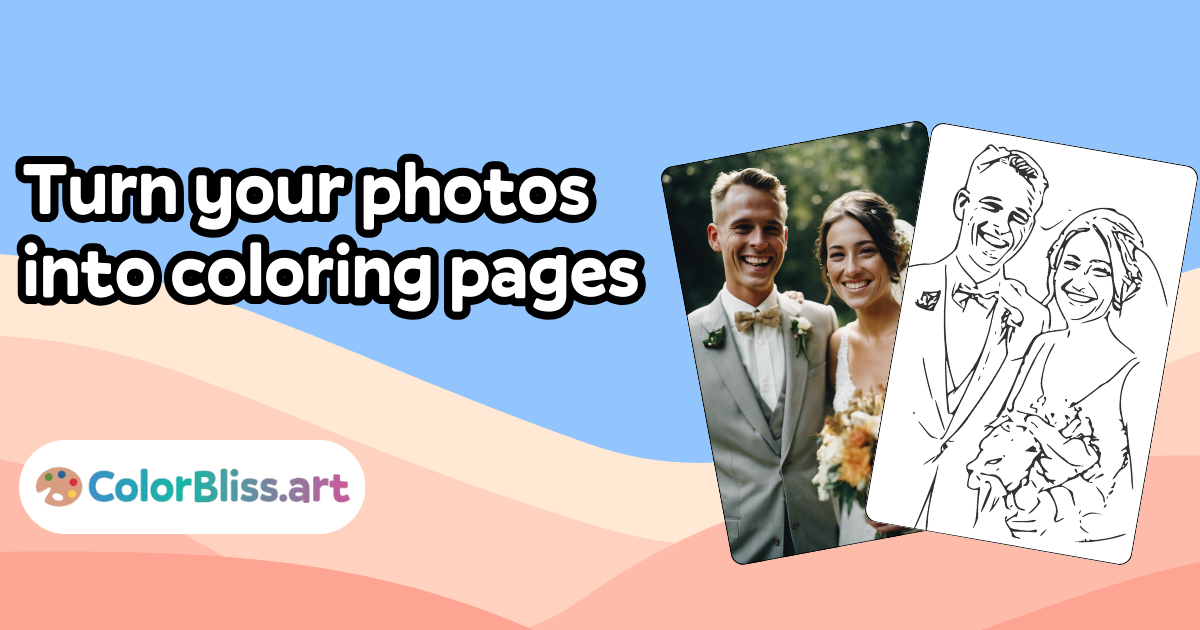
Detailed Create Your Own Coloring Page From Photo Photo Art
Discover an amazing create your own coloring page from photo background image, ideal for personalizing your devices with vibrant colors and intricate designs.
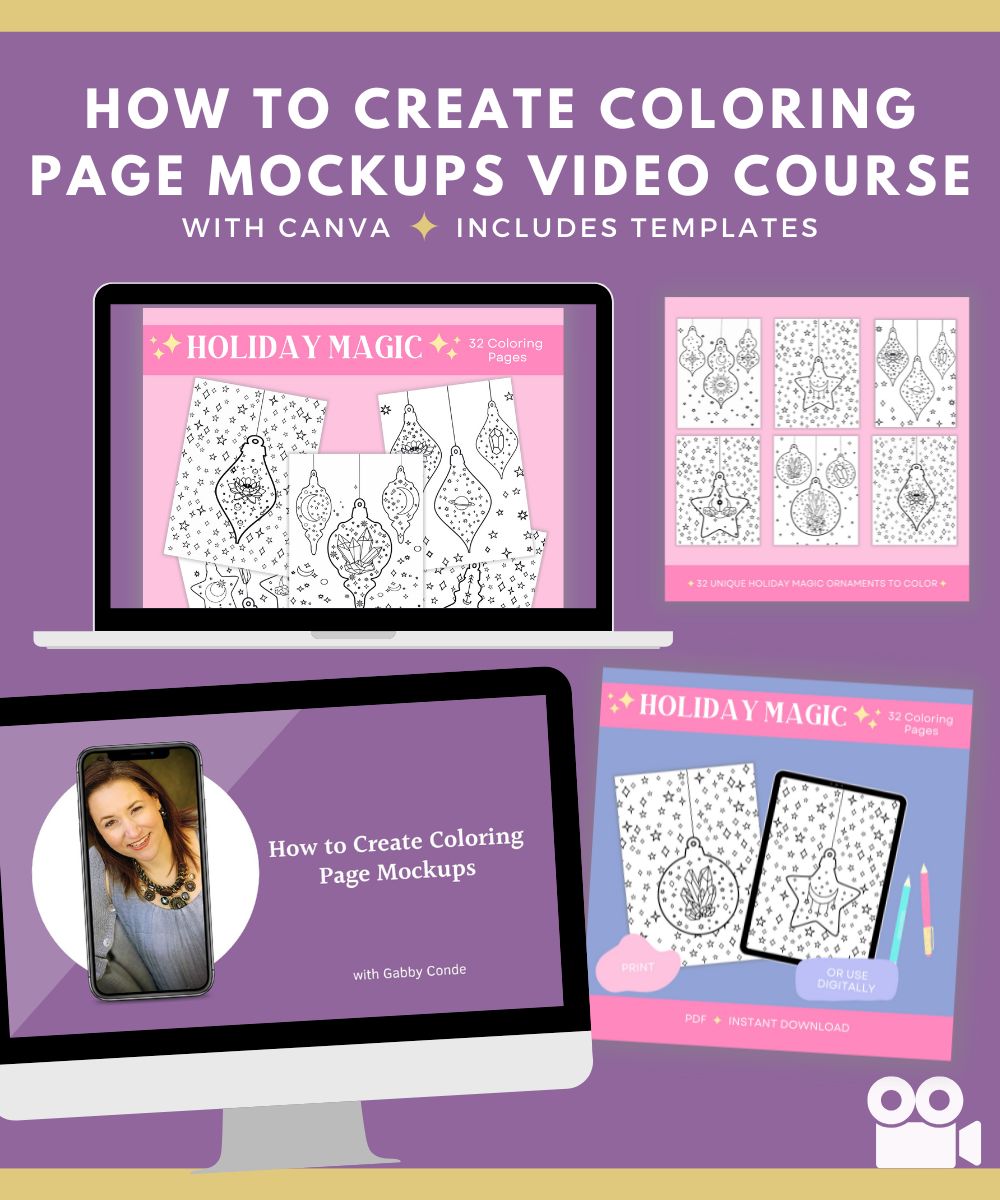
Mesmerizing Create Your Own Coloring Page From Photo Artwork for Your Screen
Experience the crisp clarity of this stunning create your own coloring page from photo image, available in high resolution for all your screens.
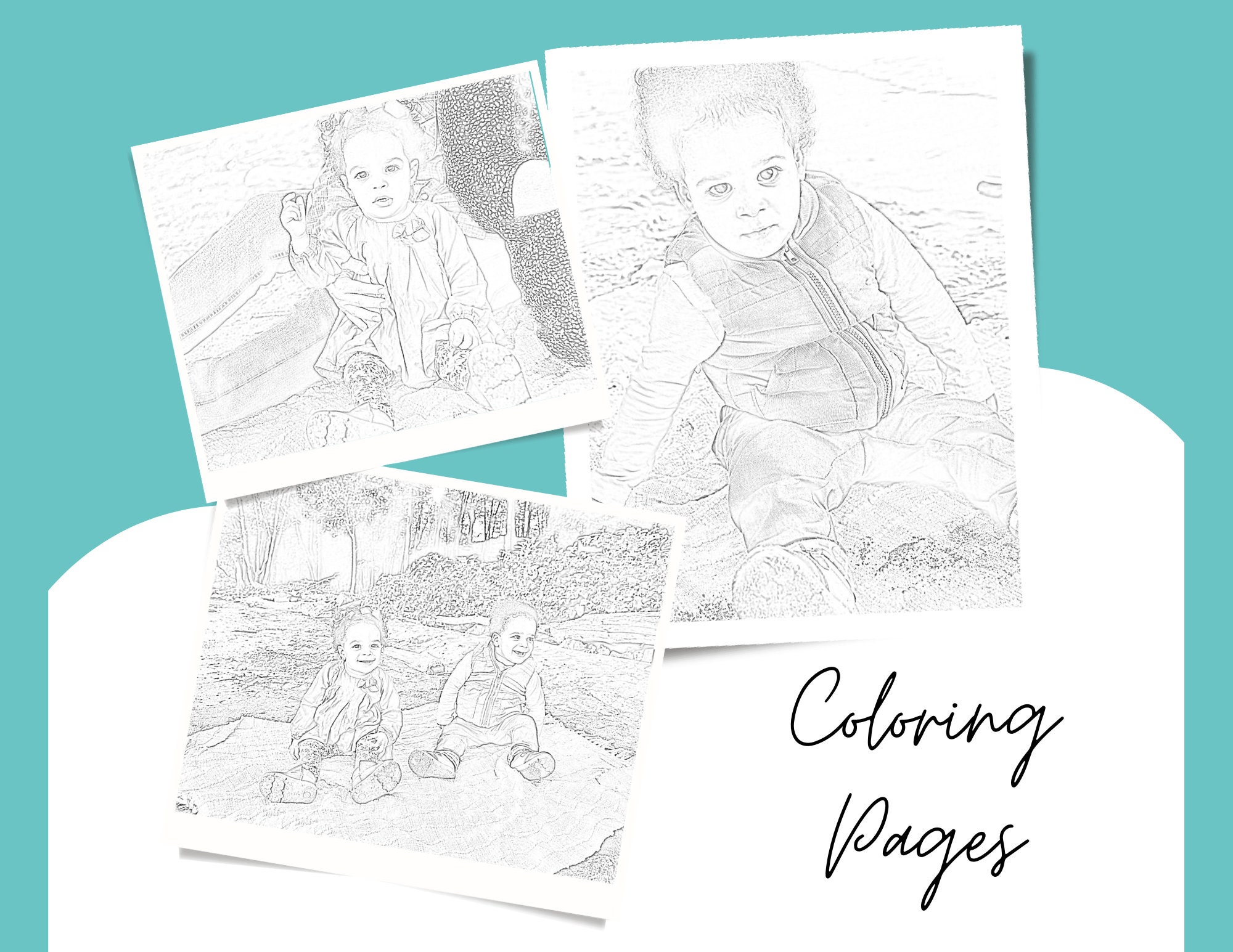
Detailed Create Your Own Coloring Page From Photo Scene in HD
Transform your screen with this vivid create your own coloring page from photo artwork, a true masterpiece of digital design.

Spectacular Create Your Own Coloring Page From Photo Picture Art
This gorgeous create your own coloring page from photo photo offers a breathtaking view, making it a perfect choice for your next wallpaper.

High-Quality Create Your Own Coloring Page From Photo Landscape Concept
Explore this high-quality create your own coloring page from photo image, perfect for enhancing your desktop or mobile wallpaper.

Mesmerizing Create Your Own Coloring Page From Photo Capture for Your Screen
Transform your screen with this vivid create your own coloring page from photo artwork, a true masterpiece of digital design.

Beautiful Create Your Own Coloring Page From Photo Scene Art
Experience the crisp clarity of this stunning create your own coloring page from photo image, available in high resolution for all your screens.

Gorgeous Create Your Own Coloring Page From Photo Landscape in HD
Find inspiration with this unique create your own coloring page from photo illustration, crafted to provide a fresh look for your background.
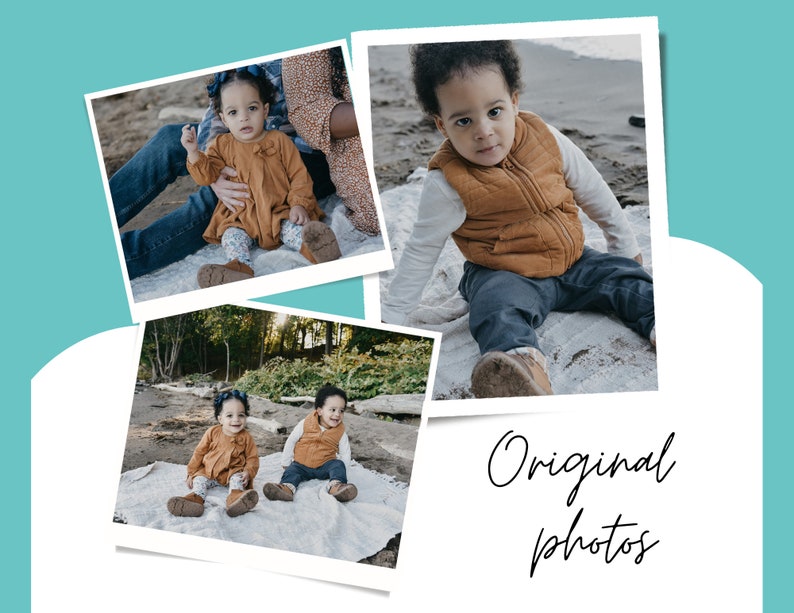
Lush Create Your Own Coloring Page From Photo Scene Collection
Find inspiration with this unique create your own coloring page from photo illustration, crafted to provide a fresh look for your background.

Exquisite Create Your Own Coloring Page From Photo Abstract in 4K
Immerse yourself in the stunning details of this beautiful create your own coloring page from photo wallpaper, designed for a captivating visual experience.
Breathtaking Create Your Own Coloring Page From Photo Landscape Collection
Explore this high-quality create your own coloring page from photo image, perfect for enhancing your desktop or mobile wallpaper.

Exquisite Create Your Own Coloring Page From Photo Wallpaper for Your Screen
Find inspiration with this unique create your own coloring page from photo illustration, crafted to provide a fresh look for your background.
Crisp Create Your Own Coloring Page From Photo Image for Your Screen
This gorgeous create your own coloring page from photo photo offers a breathtaking view, making it a perfect choice for your next wallpaper.
Serene Create Your Own Coloring Page From Photo Wallpaper Collection
Explore this high-quality create your own coloring page from photo image, perfect for enhancing your desktop or mobile wallpaper.
Crisp Create Your Own Coloring Page From Photo Scene Art
A captivating create your own coloring page from photo scene that brings tranquility and beauty to any device.
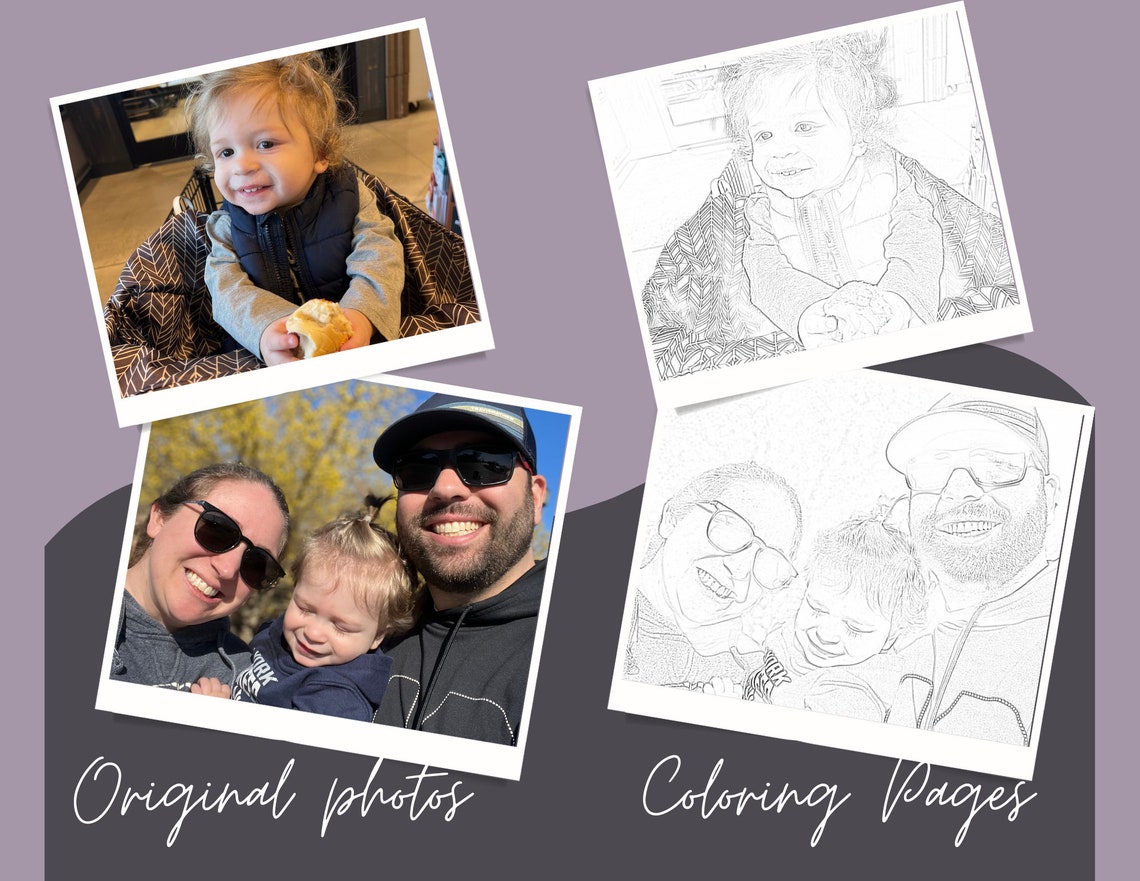
Amazing Create Your Own Coloring Page From Photo Abstract Illustration
Experience the crisp clarity of this stunning create your own coloring page from photo image, available in high resolution for all your screens.