Make My Photo Into A Coloring Page
Make My Photo Into A Coloring Page: Your Ultimate Guide to Personalized Creativity!
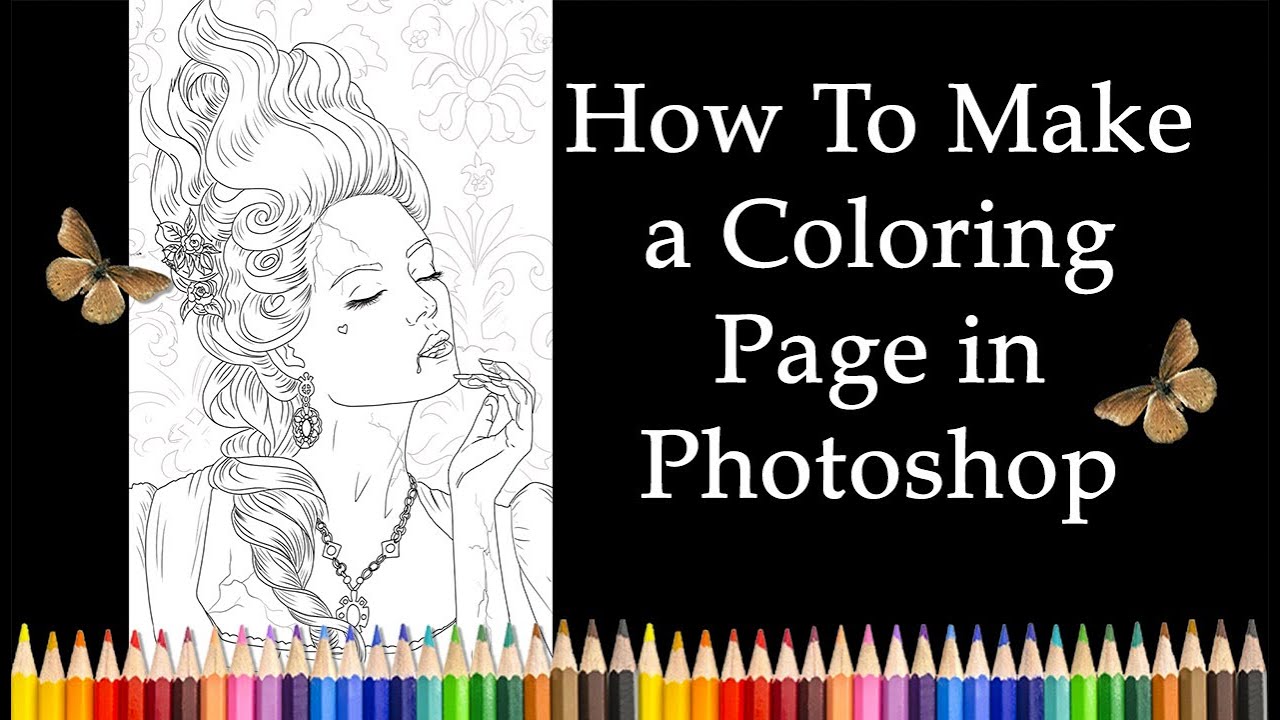
Have you ever looked at a cherished family photo, a beloved pet picture, or a stunning landscape shot and thought, "Wow, I wish I could color that"? If so, you're in luck! Learning how to make my photo into a coloring page is not only incredibly easy with modern digital tools, but it also unlocks a whole new level of personalized creativity. Forget generic store-bought coloring books—it's time to create your own!
This comprehensive guide will walk you through the simplest and most effective methods, whether you are a complete beginner looking for a quick fix or someone seeking advanced editing control. Get ready to transform your favorite memories into printable line art masterpieces just waiting for some vibrant color!
Why Turn Your Photos into Coloring Pages?
The appeal of custom coloring pages goes far beyond simple fun. They offer unique benefits for gifts, education, and artistic expression. Creating line art from your own images makes the coloring experience deeply personal and meaningful, connecting you to the artwork in a special way.
Here are a few fantastic reasons why people are looking to make my photo into a coloring page:
- Unique Personalized Gifts: Turn a picture of a grandchild, a wedding photo, or even a beloved classic car into a thoughtful, handmade keepsake gift.
- Educational Tools: Use photos of historical figures, local landmarks, or scientific diagrams to create engaging, colorable worksheets for students of all ages.
- Party Activities: Design coloring sheets featuring the birthday person or the event theme for a memorable and interactive party activity that guests can take home.
- Stress Relief and Mindfulness: Coloring is a proven method for relaxation, and working on an image you personally connect with amplifies the therapeutic benefits.
- Artistic Practice: Digital artists often use photo-to-line-art conversion as a foundation for digital painting or illustration practice.
Choosing the Perfect Photo
Before jumping into the conversion process, selecting the right source image is absolutely crucial. Not all photos translate well into clean, colorable line art. The goal is clear distinction and simple outlines, not overwhelming complexity.
Look for images that have:
- High Contrast: Strong separation between light areas and shadow areas helps the converter detect clear, sharp edges. Without good contrast, the lines can look fuzzy.
- Simple Backgrounds: Cluttered or busy backgrounds often lead to confusing, overwhelming line work that distracts from the main subject. A plain or slightly blurred background is always ideal.
- Clear Subjects: Ensure the main subject (a face, a pet, an object) is sharply in focus and prominent in the frame. The fewer distracting elements, the better the final page will look.
- Good Lighting: Photos that are evenly lit, without harsh shadows that obscure vital details, generally produce cleaner, more satisfying results after conversion.
Digital Tools to Make My Photo Into A Coloring Page
Thanks to advancements in digital technology, converting your images is incredibly accessible. You have several effective options, ranging from quick, automated online tools to sophisticated software that gives you absolute control over every single line.
Method 1: Using Dedicated Online Converters (Quick & Easy)
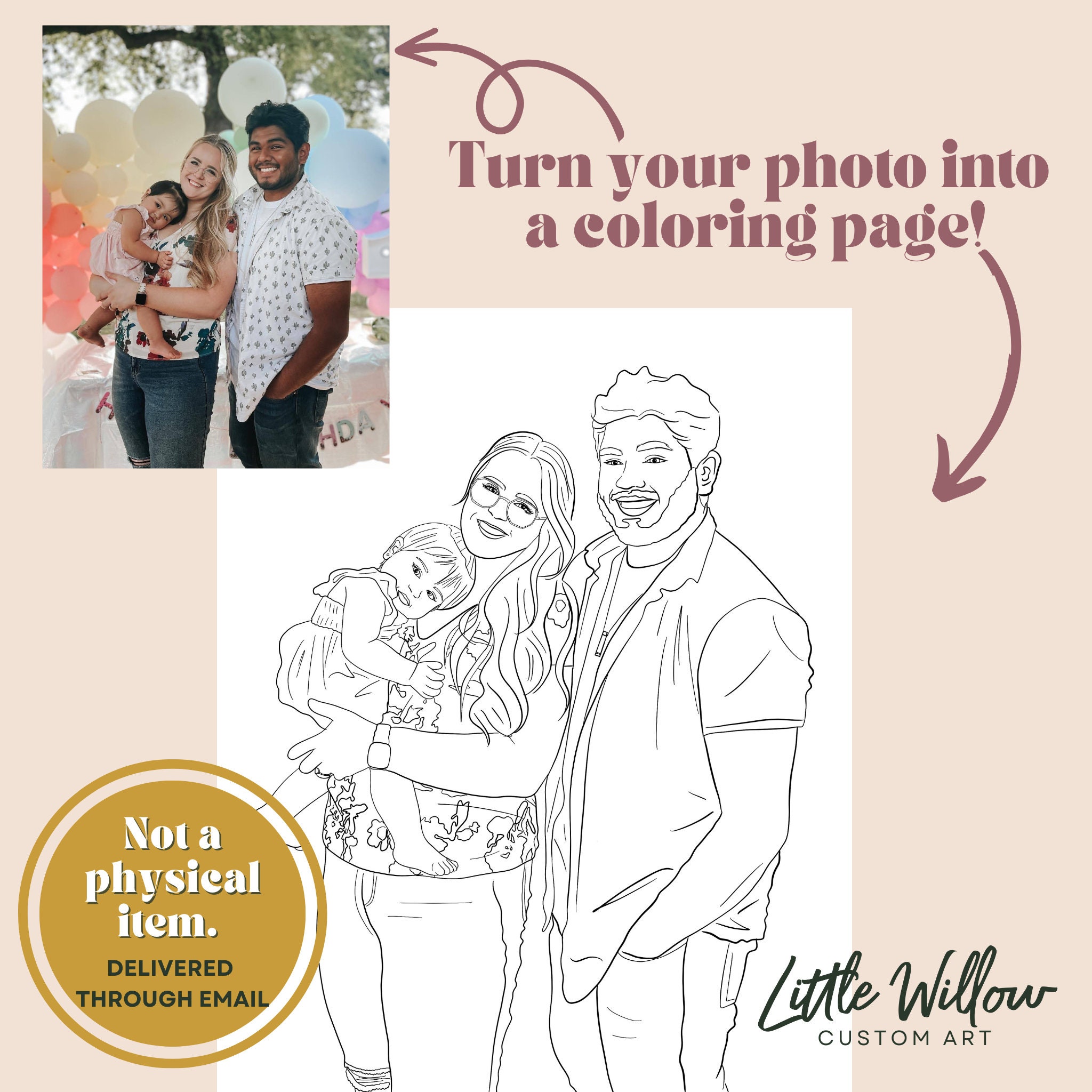
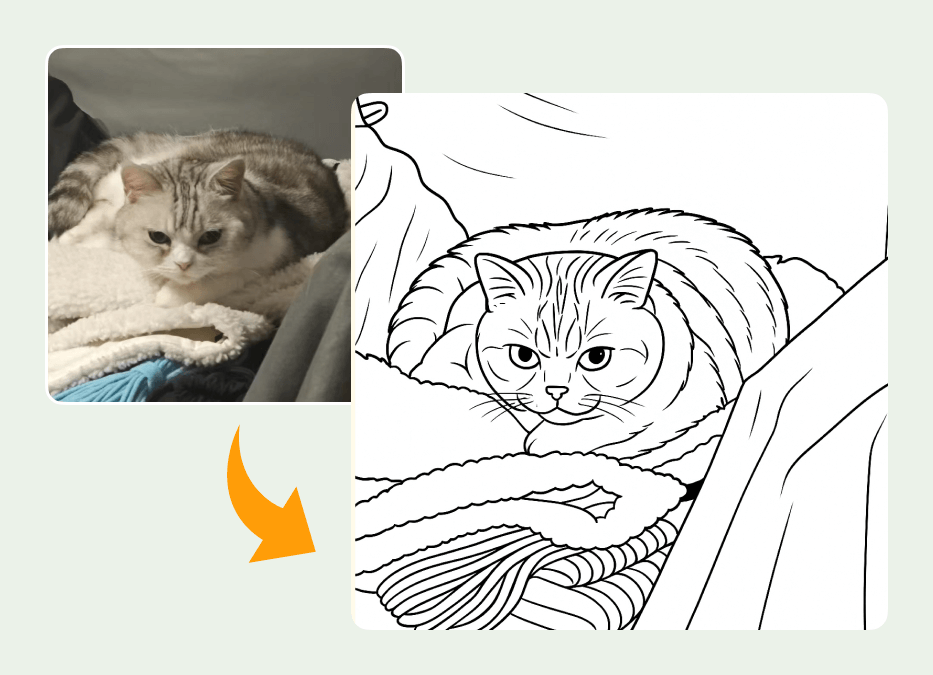
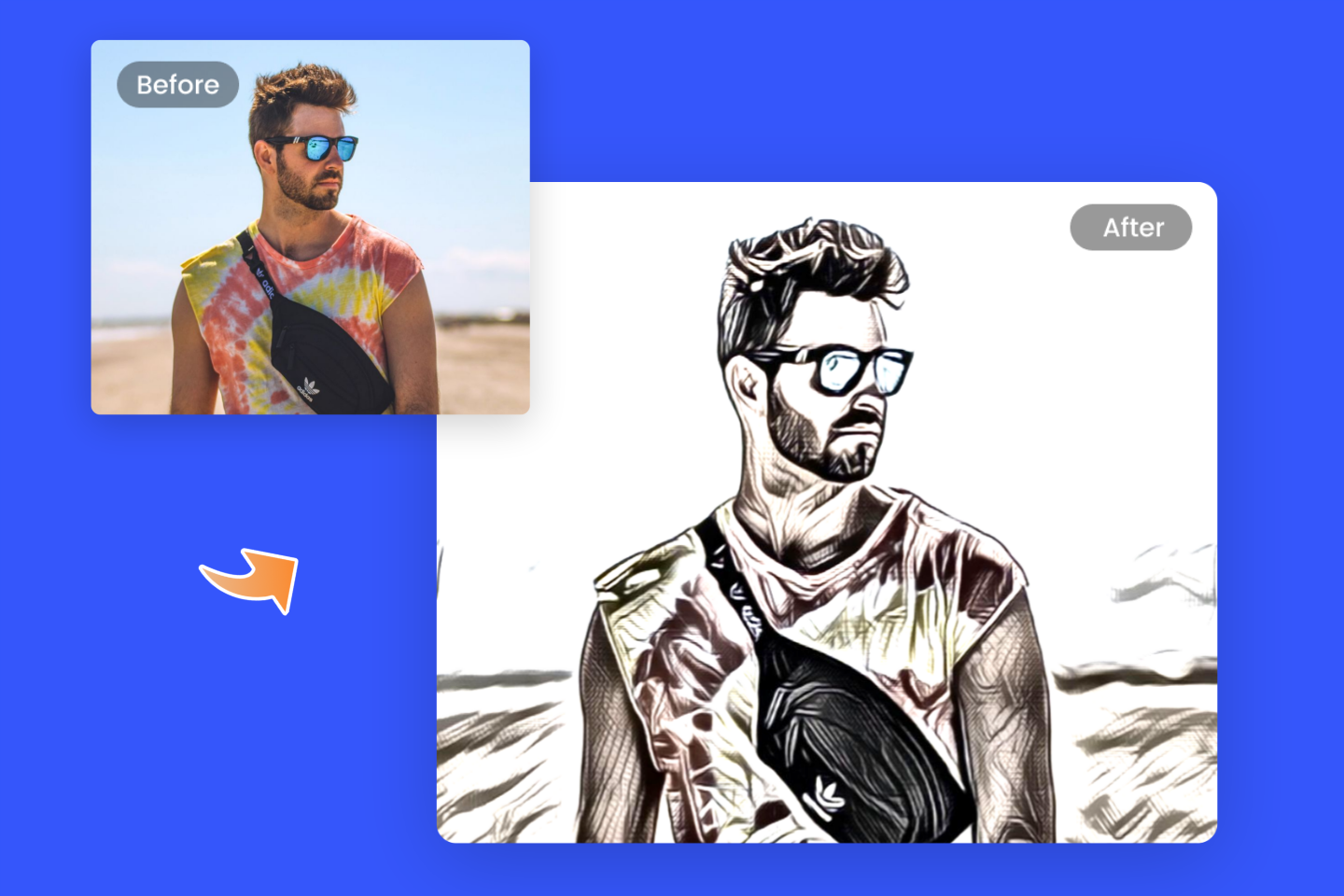
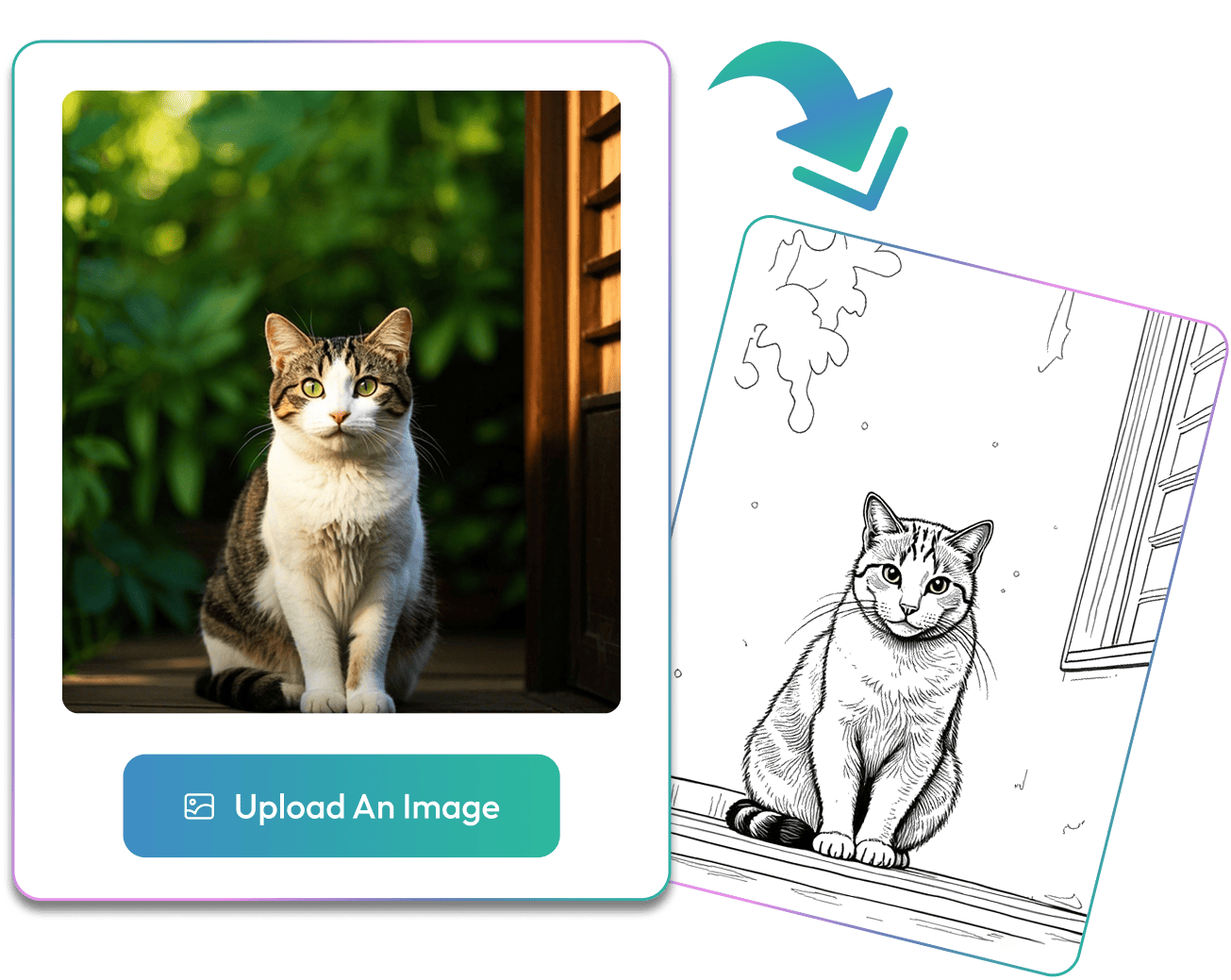
For those who need a fast, hassle-free solution, online conversion tools are often the best starting point. These websites often utilize artificial intelligence or specialized algorithms to instantly analyze and convert your image into line art with minimal effort from you. They are perfect when you need to make my photo into a coloring page quickly for immediate use.
Popular online options usually require only three simple steps:
- Upload your chosen photo file (remember to ensure it meets the clarity and contrast criteria we discussed earlier).
- Select the desired settings, if available (e.g., controlling the thickness of the lines, the detail level, or the style of the outline).
- Download the resulting black and white line art file, typically provided as a high-resolution PNG or JPEG file ready for printing.
While these tools are incredibly convenient, be aware that they sometimes struggle with highly detailed images. This can occasionally result in blurry lines or line work that is overly complex and difficult to color. For the maximum quality and customization, professional software offers more precision.
Method 2: Transforming Images with Graphic Software (More Control)
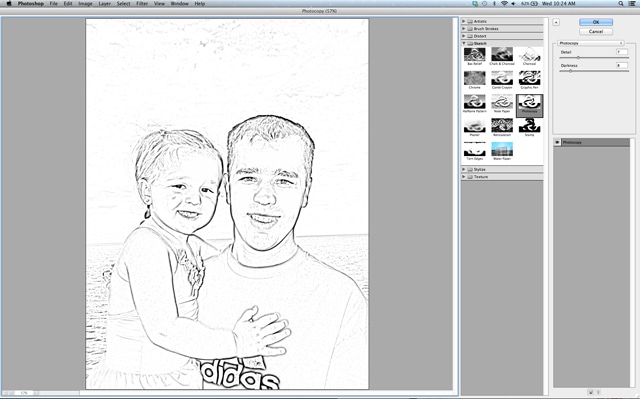
If you have photo editing software like Adobe Photoshop, Affinity Photo, or the free alternative GIMP, you can achieve professional-grade coloring pages. This manual method provides you with precise control over how the lines are detected, drawn, and which fine details are intentionally kept or discarded.
Step-by-Step in Photoshop/GIMP
The manual coloring page creation method generally involves a series of artistic steps that manipulate contrast and light to isolate edges:
- Desaturate: Start by converting the original color image to a pure Black and White image (Image > Adjustments > Desaturate or Greyscale).
- Duplicate and Invert: Duplicate the B&W layer to work non-destructively, and then immediately invert the colors (Image > Adjustments > Invert). The image will now look like a dramatic photo negative.
- Change Blending Mode: Change the inverted layer's blending mode to "Color Dodge." At this point, the majority of the image will turn completely white.
- Apply Gaussian Blur: Apply a slight Gaussian Blur to the inverted layer (Filter > Blur > Gaussian Blur). As you increase the radius slightly, the line details will magically begin to appear. Adjust the radius until you have the desired outline weight and smoothness.
- Tweak Levels/Curves: Use the Levels or Curves adjustment tool to intensify the blacks and whites, cleaning up any lingering gray areas that are making the lines look muddy or unclear.
Focusing on Line Art Generation
Another highly effective technique, often popular for converting landscapes or still life, involves using specific filters. Look for "Poster Edges" or "Find Edges" filters, often followed by a threshold adjustment. These tools specifically focus on detecting boundaries, which is exactly what you need when you are working to make my photo into a coloring page.
For the absolute highest quality, many designers prefer to use the resulting filter output merely as a guide. They create a new, empty layer and manually trace over the main outlines using a pressure-sensitive brush tool. While time-consuming, this guarantees the cleanest, most professional-looking line work, perfect for custom coloring books or artwork you plan to share widely.
Tips for the Best Coloring Page Results
After the digital conversion is complete, there are a few final steps and considerations that can elevate your coloring page from simply functional to truly great. These small adjustments ensure your printed page is enjoyable and easy to color for anyone.
- Simplify Details: If the resulting line art looks too busy (especially in areas like hair or clothing texture), use an eraser or a white brush tool in your software to clean up excess or unnecessary interior lines. Simplicity is key to a relaxing coloring experience.
- Ensure Closed Loops: Coloring relies on closed lines so that colors stay within the intended boundaries. Zoom in and carefully check your line art. If your conversion tool left gaps, manually draw small lines or curves to close any open shapes.
- Resize and Print Quality: Always resize the final image to fit standard paper dimensions (A4 or Letter size) at a resolution of 300 DPI (dots per inch). This ensures crisp, high-definition lines without jagged edges when printed.
- Use Heavier Paper: For the final print, use quality cardstock or a heavier weight paper (ideally 80-100 lb). This prevents the colors from bleeding through the page and can handle heavier pressure from pencils or markers.
Remember, the best coloring page provides a balance. It must contain enough detail to be interesting and recognizable, but also enough open space to make the act of coloring feel relaxing and achievable for the target audience.
Conclusion: Get Coloring Your Memories!
The journey to make my photo into a coloring page is incredibly straightforward and deeply rewarding. Whether you opt for the lightning speed of an online converter or choose the precise, fine-tuned control of dedicated graphic software, you now have all the tools and knowledge necessary to transform your cherished photographs into personalized artistic projects.
This unique blend of photography and traditional line art offers a fantastic, low-cost way to preserve precious memories, create truly meaningful gifts, or simply enjoy a relaxing afternoon of focused creativity. So go ahead, select your favorite snapshot, follow these simple steps, and start bringing your photos to life one crayon stroke at a time!
Frequently Asked Questions (FAQ)
- Is it free to make my photo into a coloring page?
- Yes, many high-quality online tools offer basic free conversion services, though they may limit your resolution or the number of images you can process daily. Free open-source software like GIMP also allows you to perform professional-level conversions manually.
- What type of photos work best for conversion?
- The best candidates for conversion are photos that feature high contrast, simple, non-distracting backgrounds, and clear, defined subjects. Try to avoid blurry or overly complicated images, as the resulting line art will be messy.
- Can I turn complex group photos into coloring pages?
- While you technically can convert complex group photos, the resulting line art can be very overwhelming and cluttered due to too many edges. It is often recommended to crop in on individual subjects or simplify the background heavily before starting the conversion process.
- Do I need special equipment to print the coloring pages?
- No, a standard home inkjet or laser printer works perfectly fine. However, using slightly higher-quality paper (such as matte cardstock) will significantly improve the overall coloring experience, especially if you plan on using markers or paint.
- Is it legal to sell coloring pages I created from my own photos?
- Generally, yes. If you own the copyright to the original photo (meaning you took the picture or have explicit written permission from the photographer), you are typically free to use and sell the resulting line art commercially.
Make My Photo Into A Coloring Page
Make My Photo Into A Coloring Page Wallpapers
Collection of make my photo into a coloring page wallpapers for your desktop and mobile devices.

Amazing Make My Photo Into A Coloring Page View Concept
Explore this high-quality make my photo into a coloring page image, perfect for enhancing your desktop or mobile wallpaper.
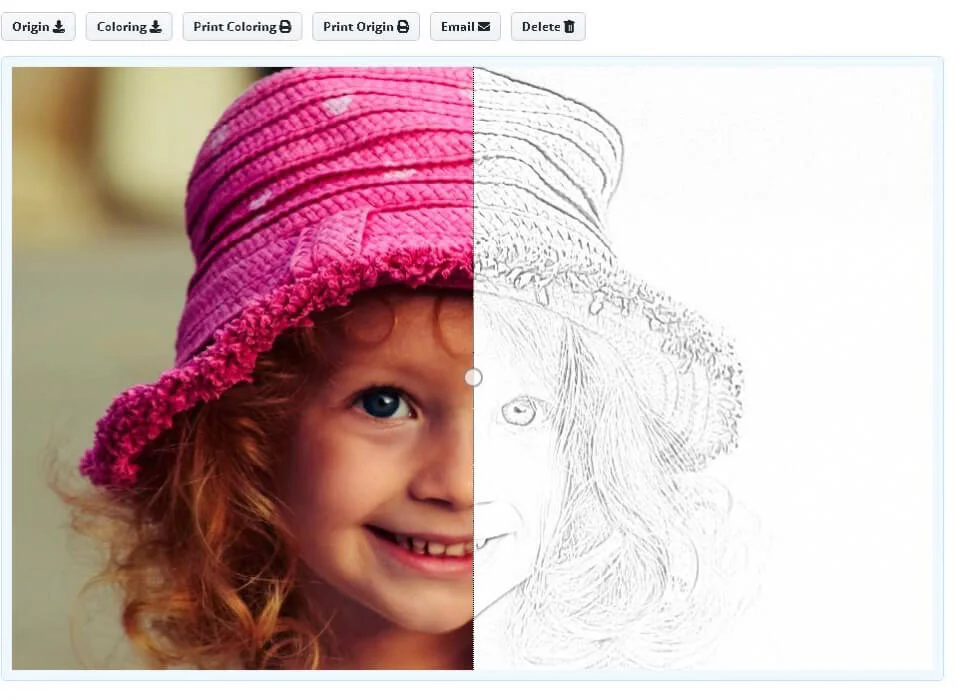
Serene Make My Photo Into A Coloring Page Background in HD
Discover an amazing make my photo into a coloring page background image, ideal for personalizing your devices with vibrant colors and intricate designs.

Detailed Make My Photo Into A Coloring Page Picture Digital Art
Transform your screen with this vivid make my photo into a coloring page artwork, a true masterpiece of digital design.

Detailed Make My Photo Into A Coloring Page Photo Art
Discover an amazing make my photo into a coloring page background image, ideal for personalizing your devices with vibrant colors and intricate designs.
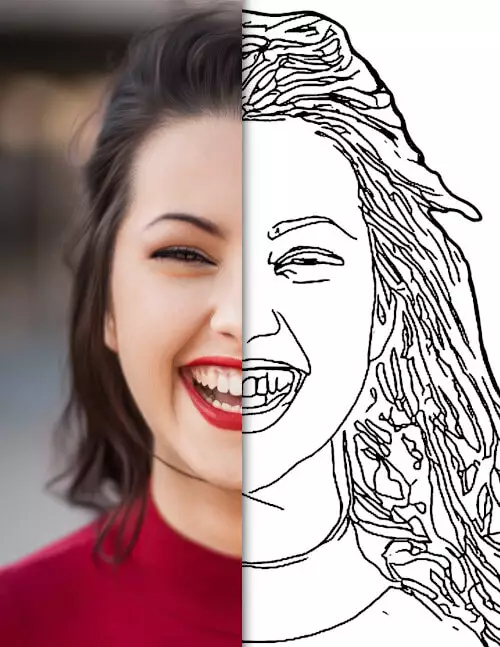
Crisp Make My Photo Into A Coloring Page Landscape Nature
A captivating make my photo into a coloring page scene that brings tranquility and beauty to any device.

Exquisite Make My Photo Into A Coloring Page Artwork in HD
This gorgeous make my photo into a coloring page photo offers a breathtaking view, making it a perfect choice for your next wallpaper.

Mesmerizing Make My Photo Into A Coloring Page Moment for Desktop
Experience the crisp clarity of this stunning make my photo into a coloring page image, available in high resolution for all your screens.
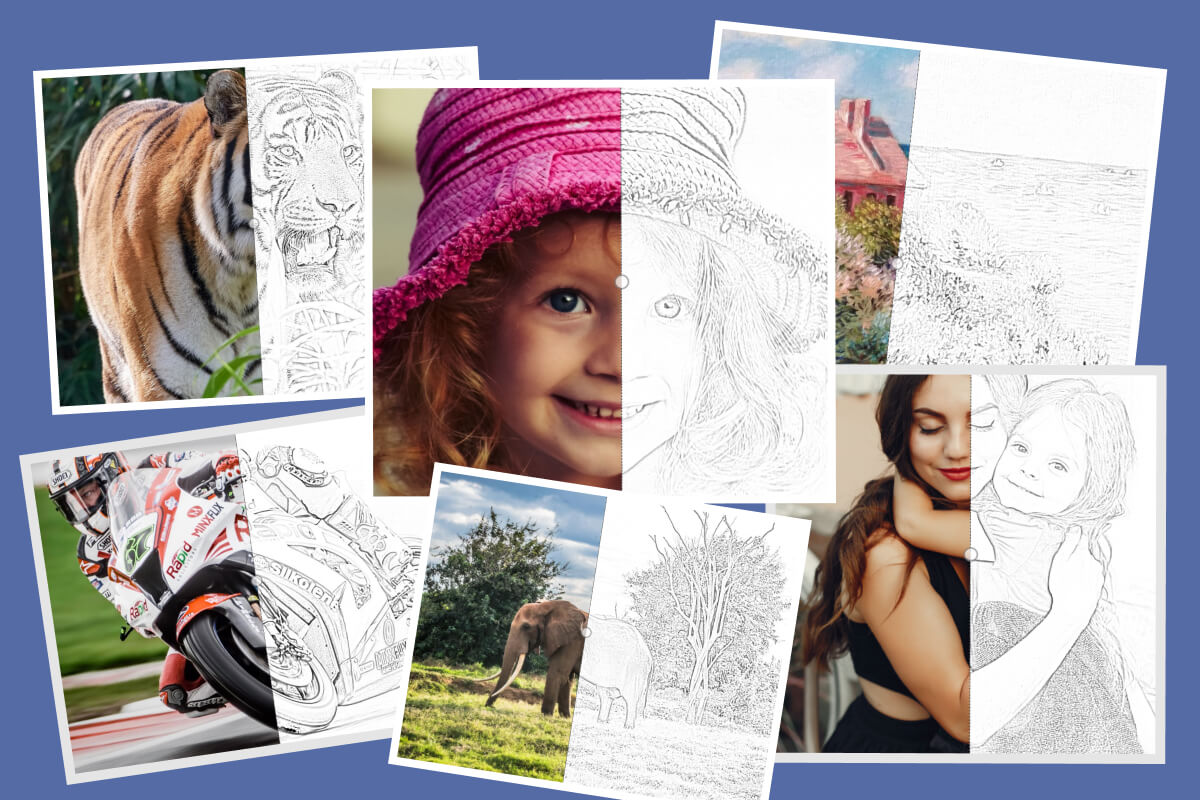
Vivid Make My Photo Into A Coloring Page Scene Photography
Transform your screen with this vivid make my photo into a coloring page artwork, a true masterpiece of digital design.
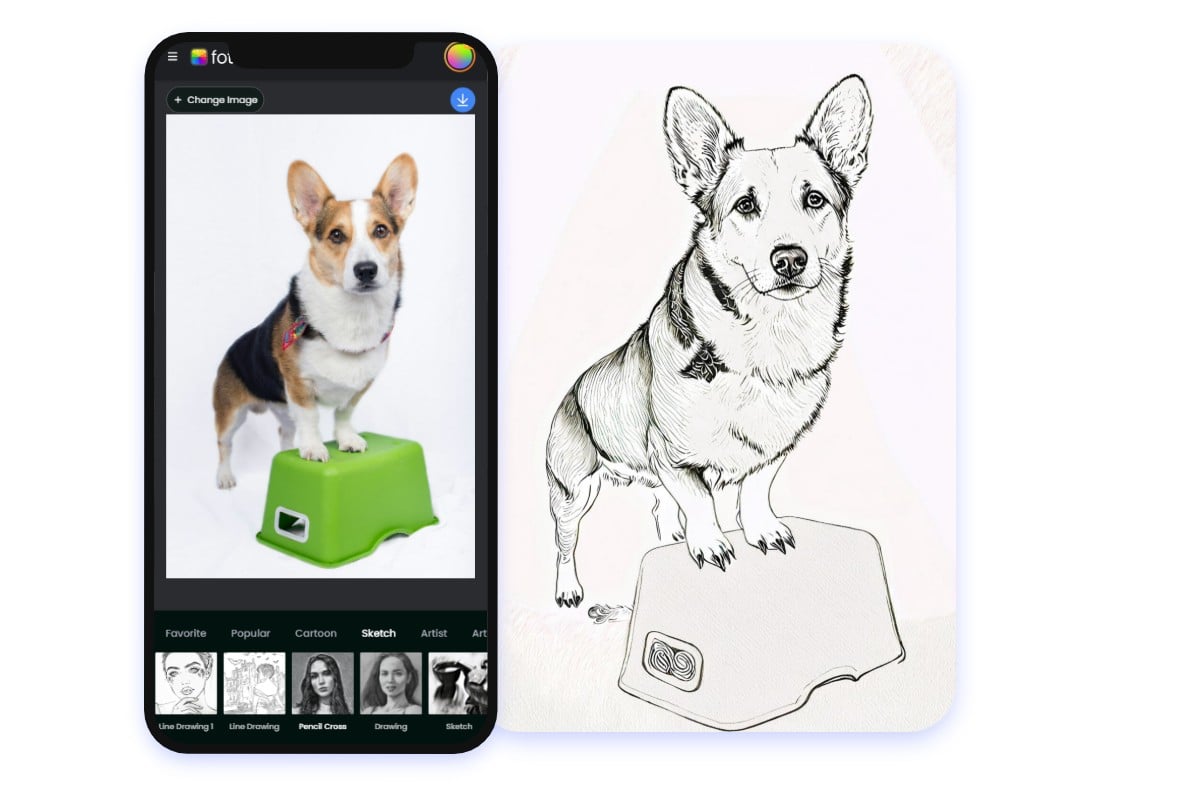
Dynamic Make My Photo Into A Coloring Page Photo for Your Screen
Find inspiration with this unique make my photo into a coloring page illustration, crafted to provide a fresh look for your background.
Stunning Make My Photo Into A Coloring Page Image in 4K
A captivating make my photo into a coloring page scene that brings tranquility and beauty to any device.
Dynamic Make My Photo Into A Coloring Page Abstract Collection
A captivating make my photo into a coloring page scene that brings tranquility and beauty to any device.
Captivating Make My Photo Into A Coloring Page Background Concept
Immerse yourself in the stunning details of this beautiful make my photo into a coloring page wallpaper, designed for a captivating visual experience.
Lush Make My Photo Into A Coloring Page Moment for Mobile
A captivating make my photo into a coloring page scene that brings tranquility and beauty to any device.
Beautiful Make My Photo Into A Coloring Page Design Nature
Experience the crisp clarity of this stunning make my photo into a coloring page image, available in high resolution for all your screens.
Detailed Make My Photo Into A Coloring Page Abstract Digital Art
Experience the crisp clarity of this stunning make my photo into a coloring page image, available in high resolution for all your screens.
Vibrant Make My Photo Into A Coloring Page Artwork Digital Art
Experience the crisp clarity of this stunning make my photo into a coloring page image, available in high resolution for all your screens.

Spectacular Make My Photo Into A Coloring Page Scene for Your Screen
A captivating make my photo into a coloring page scene that brings tranquility and beauty to any device.
Beautiful Make My Photo Into A Coloring Page Design for Your Screen
Explore this high-quality make my photo into a coloring page image, perfect for enhancing your desktop or mobile wallpaper.
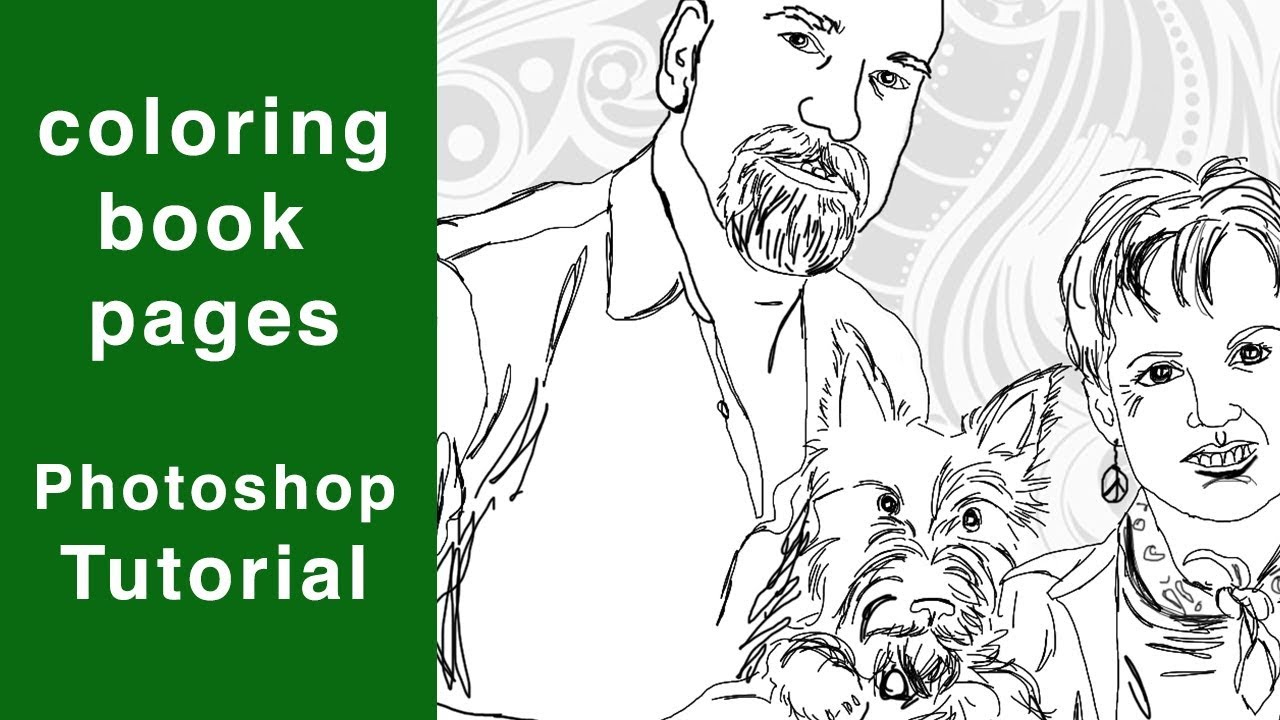
Artistic Make My Photo Into A Coloring Page Image for Mobile
Immerse yourself in the stunning details of this beautiful make my photo into a coloring page wallpaper, designed for a captivating visual experience.
